Two-Factor Authentication (2FA): The 2026 Guide for SMBs
Two-factor authentication (2FA) asks for a second proof of identity on top of your password, such as a code generated by an app, a physical key or a fingerprint. For a small or mid-sized business, it is the most cost-effective defense against account takeover: Microsoft estimates that it blocks more than 99.9% of account compromise attacks. The CNIL (recommendation of March 20, 2025) and ANSSI both advise turning it on wherever possible, starting with email, remote access and administrator accounts.
Key takeaways:
- Two-factor authentication combines two different types of factor: something you know (a password), something you have (a phone, a key) or something you are (biometrics).
- According to Microsoft, multi-factor authentication blocks more than 99.9% of account compromise attacks.
- On March 20, 2025, the CNIL adopted a recommendation dedicated to multi-factor authentication, which notably points out the limits of codes sent by SMS.
- ANSSI recommends favoring multi-factor authentication and, in particular, a possession factor such as an authenticator app or a security key.
- Start with critical accounts (email, administrators, remote access, financial tools) and set up backup codes before rolling it out more widely.
Table of Contents
- What is two-factor authentication and how is it different from a password alone?
- Why is a password alone no longer enough for businesses?
- What do the CNIL and ANSSI recommend on multi-factor authentication?
- SMS, app or security key: which method should you choose?
- Which accounts should an SMB protect first?
- How do you roll out two-factor authentication across your team?
- Two-factor authentication and GDPR: what are the employer's obligations?
- Is two-factor authentication enough to protect your accounts?
- Yundera: fewer scattered accounts, data that stays with you
- The most common mistakes when switching to two-factor authentication
- Sources
- Frequently Asked Questions
What is two-factor authentication and how is it different from a password alone?
Two-factor authentication means proving your identity with two different types of evidence instead of a single password. Even if your password is stolen, an attacker cannot sign in without the second element. Cybermalveillance.gouv.fr notes that it is also called 2-step validation or verification, or simply “2FA”. The terms strong authentication and multi-factor authentication (MFA) follow the same logic, with two or more factors.
The CNIL recommendation on multi-factor authentication sorts factors into three categories:
- Knowledge: something you know, such as a password or a PIN.
- Possession: something you have, such as a smartphone with an authenticator app, a security key or a phone that receives a code.
- Inherence: something you are, such as a fingerprint or facial recognition.
For true two-factor authentication, you need to combine two different categories. A password followed by a security question, or two passwords, is still a single knowledge factor: a hacker who obtained one can often get the other the same way. In practice, two-factor authentication mainly blocks sign-ins from unknown devices. The service then asks you to confirm the access.
Pro tip: when a service offers several methods, pick a possession factor (app or key) rather than a security question, which offers no more protection than the password itself.
Why is a password alone no longer enough for businesses?
A password alone is no longer enough because it can be stolen, guessed or reused without your knowledge. The attacker then needs nothing else to get in. Figures published by Microsoft in 2019 show the scale of the problem:
- Attack volume: more than 300 million fraudulent sign-in attempts per day were targeting its cloud services alone at the time.
- Reuse: up to 73% of passwords are duplicates. A breach on a consumer website can therefore open up an employee's work email.
- MFA effectiveness: according to the same article, multi-factor authentication blocks more than 99.9% of account compromise attacks.
The CNIL reaches the same conclusion. In its recommendation on passwords, it states that “strong or multi-factor authentication solutions provide better protection”. It also sets a minimum of 80 bits of entropy for a password used without any additional measure. Put simply, without a second factor you need a long, complex password that few employees can remember unaided. Cybermalveillance.gouv.fr recommends at least 12 characters mixing uppercase, lowercase, numbers and special characters.
Pro tip: don't choose between a good password and two-factor authentication. The second factor makes up for a leak, but it won't save a weak password reused everywhere.
What do the CNIL and ANSSI recommend on multi-factor authentication?
The CNIL and ANSSI both recommend favoring multi-factor authentication. ANSSI approaches it from a technical security angle, the CNIL from a personal data protection angle.
- The ANSSI guide: published on October 8, 2021, the recommendations on multi-factor authentication and passwords cover every type of access, from administrators' privileged accounts to web applications. Two guidelines shape the document: “favor the use of multi-factor authentication” and “favor the use of authentication based on a possession factor”, such as an app or a security key.
- The CNIL recommendation: adopted by deliberation no. 2025-019 of March 20, 2025, it was published on April 1, 2025 following a public consultation that received 18 contributions. It is aimed at organizations implementing MFA and at solution providers. It details the factors (knowledge, possession, inherence), the points of caution around sending a one-time code by SMS, and the use of employees' personal devices as a possession factor.
For an SMB, the two texts work together. ANSSI helps you pick genuinely robust methods and decide which access to protect first. The CNIL helps you deploy them without collecting more data than necessary and while respecting employees' rights.
Pro tip: keep a written record of your choices (accounts covered, method selected, alternative offered to employees). In the event of an audit or incident, this document shows that you followed the official recommendations.
SMS, app or security key: which method should you choose?
For sensitive accounts, choose an authenticator app or a security key. SMS remains acceptable for less exposed accounts when nothing better is available. Cybermalveillance.gouv.fr lists the main options offered by online services: a code received by SMS or email, an app, a dedicated key or biometric recognition.
- Code by SMS or email: simple and universal, but the code can be intercepted or diverted, for example through SIM swapping or a compromised mailbox. The CNIL recommendation includes specific points of caution about sending one-time codes by SMS. It is still far better than nothing.
- TOTP app: the app generates a 6-digit code that refreshes every 30 seconds, offline. It is free and more robust than SMS, but a fake website can still trick you into handing over the code.
- Push notification: you approve the sign-in with a single tap. It is convenient, but watch out for reflexive approvals when an attacker floods you with requests.
- FIDO2 physical key or passkey: it is bound to the genuine website, which makes it highly resistant to phishing. It is the best choice for administrators and email.
- Biometrics: most often used to unlock a passkey or an app on the device. It is convenient, but this is sensitive data that should stay on the device.
This ranking follows ANSSI's preference for a possession factor.
Pro tip: buy two keys per administrator and register both on every account. Keep the second one in a separate, secure location so that losing one doesn't lock you out.
Which accounts should an SMB protect first?
Start with the accounts that unlock all the others: email and administrator accounts, then remote access and money. The ANSSI guide explicitly covers access to privileged accounts, including administrators' accounts, and to web applications. Here is a realistic order of priority:
- Email: this is where password reset links arrive. A hacker who controls it can take over almost every other account.
- Administrator and privileged accounts: Microsoft 365 or Google Workspace admin console, servers, firewalls, business software. A single compromise is enough to bring the company to a halt.
- Remote access and VPN: they open the door to the internal network from anywhere.
- Banking and financial tools: bank accounts, invoicing and payroll software, payment platforms.
- Cloud storage: contracts, customer files and personal data all end up there.
- Domain name and DNS: with access to your registrar account, an attacker can hijack your website and your email.
- Company social media: a hacked account can be used to scam your customers in your brand's name.
On each of these accounts, two-factor authentication ensures, according to Cybermalveillance.gouv.fr, that only you can authorize a new device to sign in.
Pro tip: don't forget shared accounts, such as a supplier portal login or a social media account managed by several people. They are often the last ones without a second factor. Tie them to a key or an app managed by a designated owner.
How do you roll out two-factor authentication across your team?
Roll out two-factor authentication in stages: critical accounts first, then the rest of the team, with a recovery procedure ready before the first lockout. Here is a four-step method suited to an SMB:
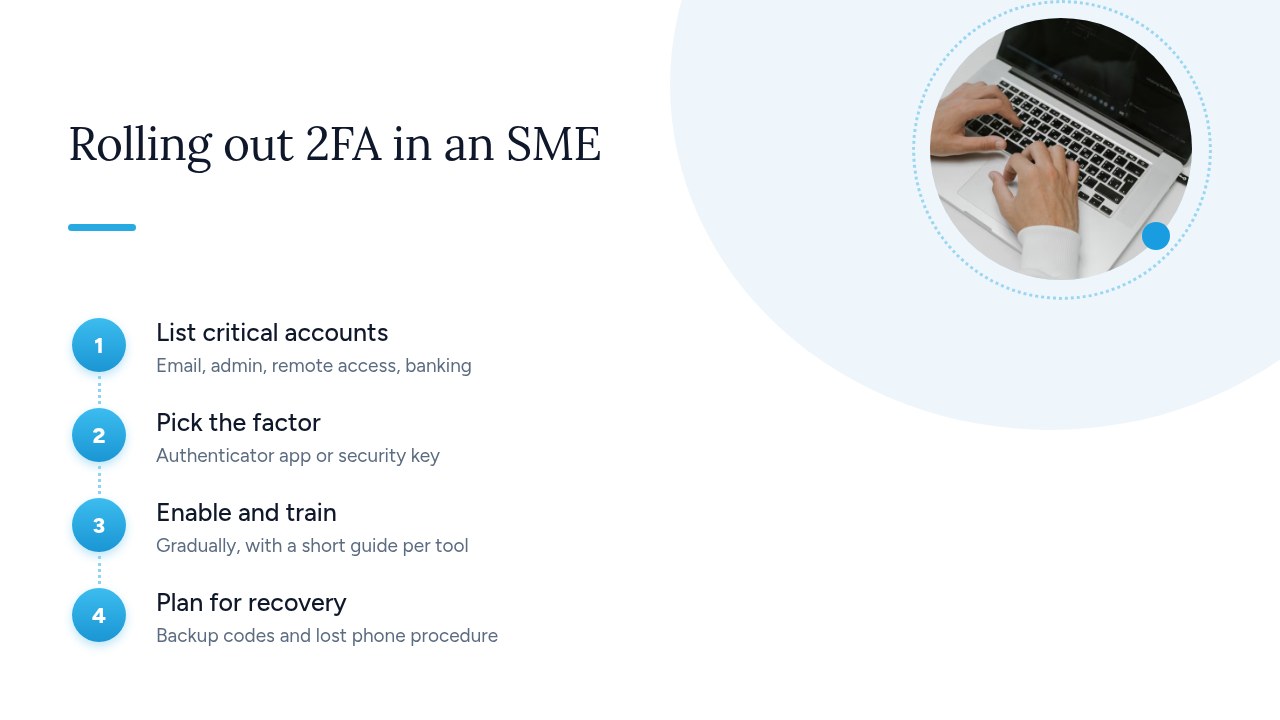
- Take inventory of accounts: list the services in use, who has access to them and which ones support 2FA. Follow the order of priority set out above.
- Choose the factor: an authenticator app for everyone, a security key for administrators, and SMS only where nothing else is available.
- Enable and train: start with management and administrators, then go department by department. A fifteen-minute demo and a one-page guide per tool will head off most support tickets.
- Plan for recovery: print the recovery codes or store them somewhere other than the phone. Write down the procedure for a lost or replaced phone: who to contact, how to revoke the old device, how to enroll a new one.
That leaves the question of personal phones. The CNIL recommendation specifically addresses the use of employees' personal devices as a possession factor. In practice, tell employees clearly what is being installed and what data is processed. Limit the app to generating codes, with no access to the rest of the phone. Offer an alternative, such as a company-issued physical key, to anyone who doesn't want to use their personal device.
Pro tip: set a deadline announced well in advance rather than switching it on by surprise. Employees then have time to enroll their device, and support isn't swamped on a single morning.
Two-factor authentication and GDPR: what are the employer's obligations?
The GDPR does not explicitly require two-factor authentication. It does, however, require employers to protect the personal data they process with security measures appropriate to the risk (Article 32). And the CNIL considers that strong or multi-factor authentication solutions provide better protection than a password alone. For an email account or a customer file, failing to enable 2FA becomes hard to justify after a breach.
Be aware that two-factor authentication itself processes personal data. The CNIL recommendation on multi-factor authentication is designed precisely to reconcile cybersecurity with data protection. A few principles to apply:
- Data minimization: collect only what is necessary. An authenticator app or a security key doesn't require a phone number, unlike SMS.
- Informing employees: state in your IT usage policy which methods are used, what data is processed, by which provider and for how long.
- Biometrics: biometric data is sensitive data under the GDPR. Prefer a fingerprint or facial recognition checked locally on the device to unlock a key or passkey, rather than a centralized biometric database held by the employer.
- Provider: check where the MFA solution stores sign-in logs and cover it with a data processing agreement.
Pro tip: add two-factor authentication to your record of processing activities and your security documentation. It is the simplest proof of your compliance efforts.
Is two-factor authentication enough to protect your accounts?
No: two-factor authentication blocks the vast majority of automated attacks, but it is not foolproof against a determined attacker. Three techniques can get around it:
- Real-time phishing: a fake website relays your password and code to the real service on the fly. SMS codes and TOTP apps can't withstand it. FIDO2 keys and passkeys, which are bound to the genuine domain, can.
- Push notification fatigue: the attacker, who already knows the password, sends dozens of requests until a worn-down employee approves one by mistake.
- SIM swapping: by impersonating you with your mobile carrier, a fraudster takes over your number and receives your codes. This is one of the reasons behind the CNIL recommendation's points of caution about codes sent by SMS.
2FA should therefore be added to basic good practice, not replace it. Cybermalveillance.gouv.fr reminds us that a good password has at least 12 characters mixing uppercase, lowercase, numbers and special characters. It must be different for every service. A password manager makes this manageable: the site mentions KeePassXC, certified by ANSSI in version 2.7.9. Add regular system and browser updates, plus phishing awareness training.
Pro tip: give your team one simple rule. Never approve a sign-in request you didn't start yourself, and report any unexpected request immediately: it proves someone already knows the password.
Yundera: fewer scattered accounts, data that stays with you
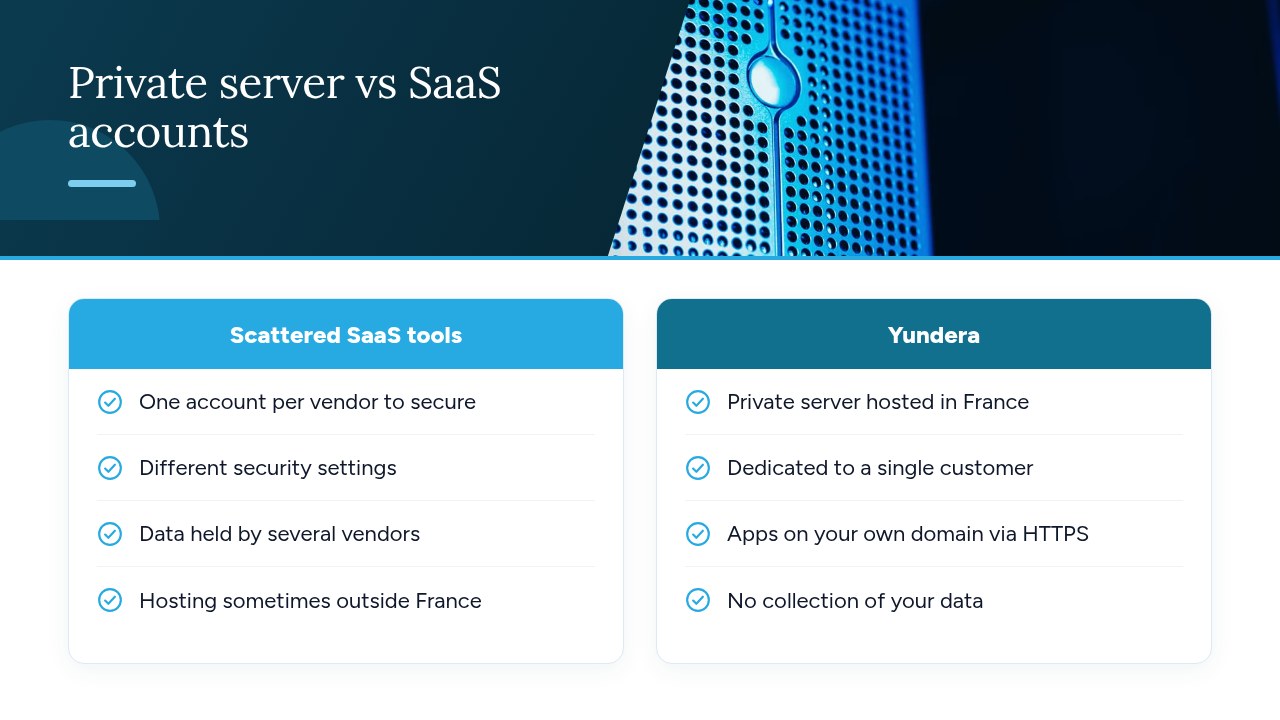
Two-factor authentication secures access to each account, but it doesn't reduce how many you have. Every new SaaS tool adds another account to protect with a different vendor, with its own security settings and data hosted somewhere else. Bringing some of these uses together on a server you control limits the number of third parties holding your files. Access rules are covered in detail in our article on cloud access control for a private server.
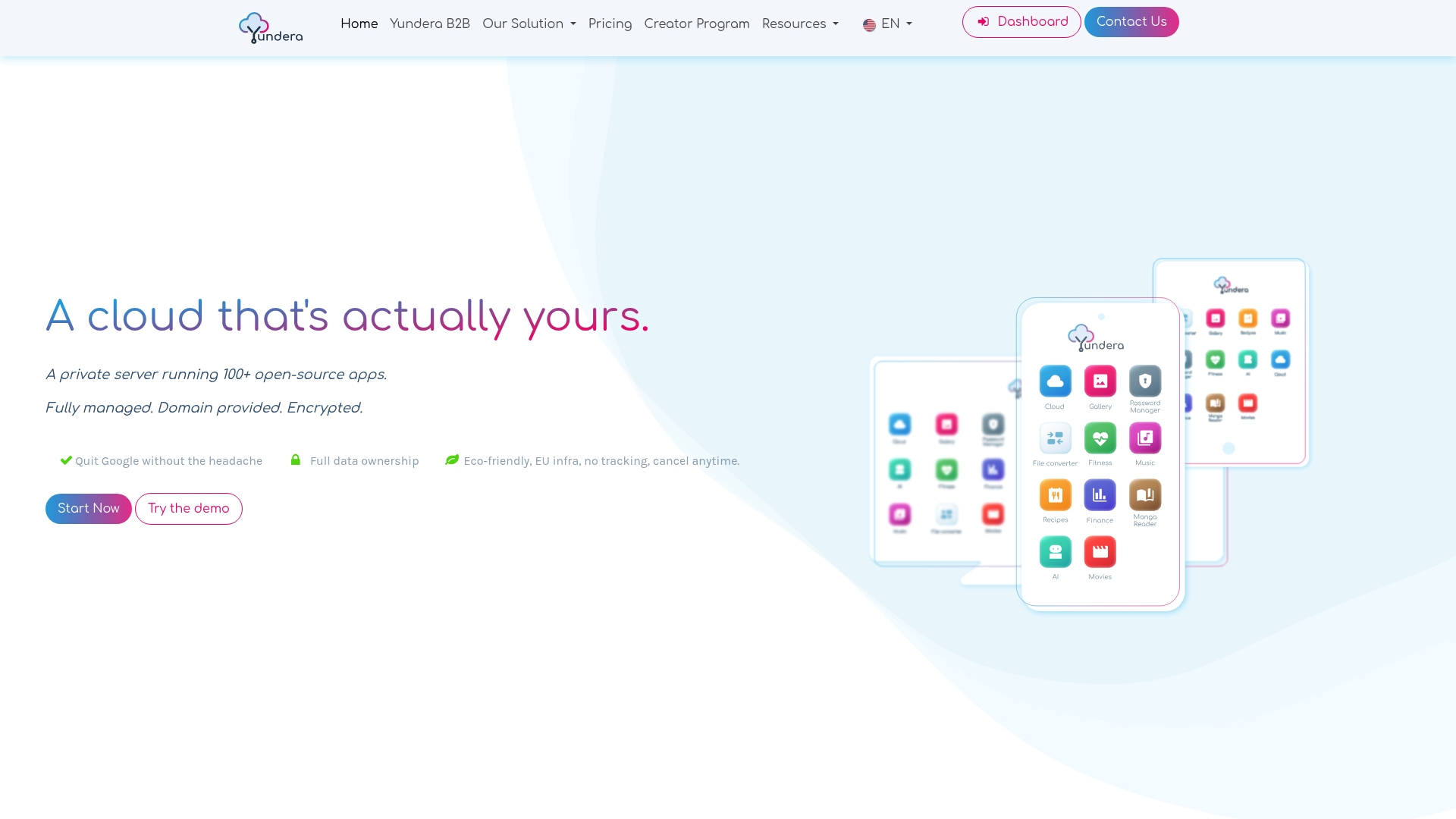
Yundera is one way to get there without technical skills:
- Dedicated server in France: a managed private server (Personal Cloud Server), hosted in France and reserved for a single customer.
- One-click apps: ready-to-use open source apps, including for file storage, photos, website hosting and office productivity, install from an app store.
- Access on your own domain: each app is reachable on your own domain name over HTTPS, with no static IP, no port forwarding and no manual certificate management.
- Your data stays with you: it remains on your server. Yundera doesn't collect it or sell it.
- Management included: Yundera administers the server for you.
The best practices in this guide still apply on a private server: unique passwords, two-factor authentication wherever it is offered, and backup codes stored separately. To compare plans and pricing, see the Yundera private servers page.
The most common mistakes when switching to two-factor authentication
The most common mistake is enabling two-factor authentication everywhere except where it matters most. The other pitfalls show up from one SMB to the next:
- Forgetting email: business tools are protected, but the mailbox used to reset their passwords isn't.
- SMS on administrator accounts: reserve a security key or an app for these accounts.
- No backup codes: a lost phone is then enough to lock you out of a critical account.
- Shared accounts and former employees: they often remain without a second factor, or stay active for months after someone leaves.
- 2FA imposed without training: employees reject it or work around it.
- Notifications approved on autopilot: a request you didn't initiate should always be denied and reported.
Don't try to tackle everything at once. This week, enable two-factor authentication on email and on every administrator account, then store the backup codes somewhere other than the phone. That is the priority set by Cybermalveillance.gouv.fr and ANSSI, and it covers most of the risk.
— Yundera
Sources
- Multi-factor authentication: the CNIL's recommendations for better data protection
- How to protect your online accounts with two-factor authentication - Cybermalveillance.gouv.fr
- Why and how to manage your passwords properly - Cybermalveillance.gouv.fr
- Recommendations on multi-factor authentication and passwords - ANSSI (MesServicesCyber)
- Passwords: recommendations to stay in control of your security - CNIL
- One simple action you can take to prevent 99.9 percent of attacks on your accounts - Microsoft Security Blog
Frequently Asked Questions
Is two-factor authentication mandatory for businesses?
No general law explicitly requires it of every business. However, the GDPR requires security measures appropriate to the risk, and both the CNIL and ANSSI recommend multi-factor authentication. For email or customer data, going without it becomes hard to justify after an incident. Some industry regulations or contracts may also require it.
Is an SMS code a secure two-factor authentication method?
It is far better than a password alone, but it is the weakest method: the code can be intercepted through phishing or diverted through SIM swapping. The CNIL devotes specific points of caution to codes sent by SMS. For sensitive accounts, prefer an authenticator app or a security key.
What should I do if I lose the phone I use for two-factor authentication?
Sign in with your backup codes or a second registered method, then revoke the old device and enroll the new one. Without a backup code, you will have to go through the service's recovery procedure or your company administrator, which can take several days. That is why you should store these codes somewhere other than the phone as soon as you enable 2FA.
Can an employer require employees to use their personal phone for 2FA?
The CNIL recommendation specifically addresses the use of employees' personal devices as a possession factor. In practice, the employer must inform employees clearly, limit the tool to generating codes and offer an alternative, such as a company-issued physical key, to those who decline.
What is the difference between two-factor authentication, MFA and strong authentication?
Two-factor authentication (2FA) combines exactly two different types of factor. MFA (multi-factor authentication) combines two or more. Cybermalveillance.gouv.fr also uses “strong authentication” as a synonym. In a technical context, the term usually refers to genuinely robust authentication, for example with a security key, rather than a simple SMS code.
Two-Factor Authentication (2FA): The 2026 Guide for SMBs