GDPR Data Retention Periods: A Guide for SMEs
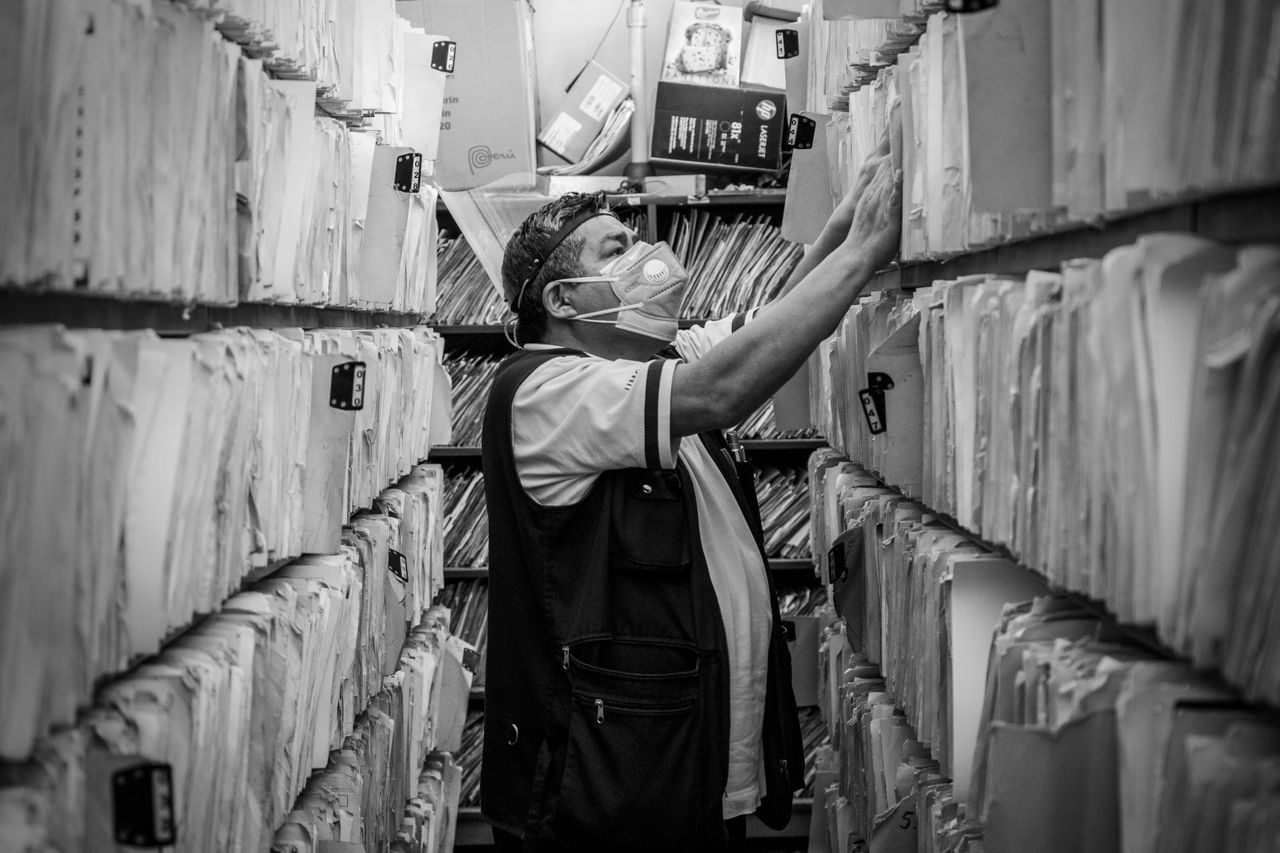
The GDPR doesn't set a single retention period. Instead, it requires you to set a period for each processing activity, and that period can't be longer than its purpose requires. When a law already sets a period, you follow it: for example, 10 years for accounting records (French Commercial Code) or 5 years for copies of payslips (French Labour Code). Otherwise, you rely on the CNIL's guidelines, then manage retention in three phases until the data is deleted or anonymized.
Key takeaways:
- Article 5(1)(e) of the GDPR prohibits keeping identifying data for longer than the purpose of the processing requires.
- The CNIL describes three phases in the life of a piece of data: the active database, intermediate archiving and, for certain information only, permanent archiving.
- Accounting documents and supporting records must be kept for ten years under Article L123-22 of the French Commercial Code.
- The HR framework the CNIL published on April 2, 2026 is soft law: it isn't mandatory, but if you depart from it you must be able to justify your choice.
- Breaching the storage limitation principle can cost up to €20 million or 4% of annual worldwide turnover, whichever is higher.
Table of Contents
- What does the GDPR say about data retention periods?
- Active database, intermediate archiving, permanent archiving: what's the difference?
- How do you set a retention period for your data?
- How long should you keep invoices and accounting records?
- How long should you keep CVs and HR data?
- How long should you keep customer and prospect data?
- What about data in backups and archives?
- What are the risks of keeping data too long?
- Yundera: applying your retention periods on a server you own
- Retention periods: the most common mistakes SMEs make
- Sources
- Frequently Asked Questions
What does the GDPR say about data retention periods?
The GDPR doesn't give a specific number of years. It sets a principle: you may keep personal data only as long as it serves the purpose it was collected for. Article 5(1)(e) of the GDPR requires data to be “kept in a form which permits identification of data subjects for no longer than is necessary for the purposes for which the personal data are processed”. This is known as the storage limitation principle.
The same article includes an exception. Data may be kept longer if it is processed solely for archiving purposes in the public interest, for scientific or historical research, or for statistical purposes, subject to appropriate safeguards. This rarely applies to SMEs, so the general rule almost always applies.
As the CNIL puts it, “personal data cannot be kept indefinitely”. In practice, this gives you three obligations:
- Set the period: the data controller, meaning the company, decides on the period based on the purpose for which the data was collected.
- Document it: every period must appear in your record of processing activities, one processing activity at a time.
- Disclose it: data subjects must be told the period, or at least the criteria used to determine it, when their data is collected.
Pro tip: every retention period needs a clear starting point (end of contract, last contact, case closed). Without a start date, you can't automate any purge.
Active database, intermediate archiving, permanent archiving: what's the difference?
According to the CNIL, these are the three successive stages in the life of a piece of data. First, the data is used day to day. Then it is set aside to meet a legal obligation or in case of a dispute. Finally, only a small portion is kept permanently. Each phase has its own duration and its own access rules.
- Active database: the data is in everyday use and stays available to the teams that need it. The CNIL's example: the CV of an unsuccessful applicant can be kept for up to 2 years, unless the applicant asks for it to be deleted sooner.
- Intermediate archiving: the file is closed, but the data still has to be kept to meet a legal obligation or to defend yourself in a dispute. Example: billing data, kept for 10 years under the French Commercial Code. These archives must be kept separate from the active database, physically or logically, and only authorized people should be able to access them.
- Permanent archiving: only for certain information, which is archived permanently. This is not where your customer or HR files are normally meant to end up.
To help you break down this lifecycle, the CNIL has published a practical guide developed with the French Interministerial Archives Service (SIAF). It helps you set periods one processing activity at a time.
Pro tip: an “Archives” folder on the same share as your everyday files isn't enough. Without separate access rights, the required logical separation doesn't exist.
How do you set a retention period for your data?
Setting a retention period takes four steps, repeated for each processing activity. You start with the purpose, check whether a law already sets a period and, if not, justify your own choice. Then you plan what happens to the data at the end of its life.
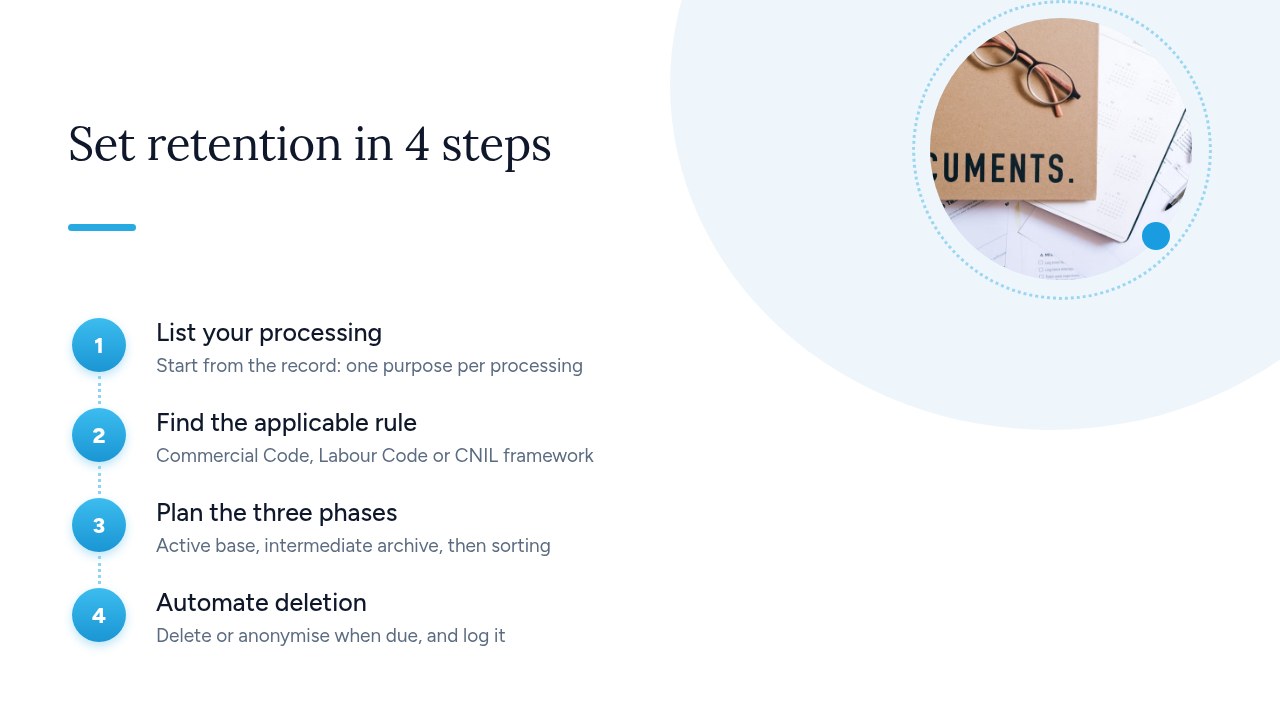
- List your processing activities: start from your record of processing activities and give each entry a specific purpose (recruitment, payroll, billing, marketing). Without a clear purpose, you can't justify any retention period.
- Find the applicable law: check whether a law already sets the period. That's the case with the French Commercial Code for accounting records (10 years) and the French Labour Code for payslips. Also check the CNIL's sector-specific frameworks, such as the HR framework.
- Justify your period: if no law applies, choose a period proportionate to the purpose and write down in your record why you chose it.
- Plan the three phases and the purge: set how long the data stays in the active database, then in intermediate archiving. When the period ends, delete or anonymize the data automatically and keep a record of the operation.
Be careful: the same data can be subject to several retention periods. As the CNIL points out, a customer's address used for delivery, billing and marketing follows a separate period for each of these processing activities.
How long should you keep invoices and accounting records?
Invoices and accounting records must be kept for ten years. Article L123-22 of the French Commercial Code is explicit: “Accounting documents and supporting records shall be kept for ten years.” This is one of the few cases where there's nothing to debate: the law sets the period, and you follow it.
That doesn't mean the data has to stay in your business software for ten years, though. Once the business relationship ends, the invoice is no longer in everyday use. It only serves as proof. According to the CNIL, it then moves to intermediate archiving: stored separately from the active database, with access limited to authorized people such as the accountant or management.
Most importantly, the obligation covers the accounting evidence, not everything you know about the customer:
- Keep for 10 years: the invoice and the details on it (customer name, address, amounts, date), plus the related supporting documents.
- Don't keep for 10 years: the history of sales conversations, sales reps' notes, preferences, browsing or marketing data. These follow the retention period of their own processing activity.
Pro tip: make sure your invoicing tool can export invoices in a readable, durable format. A ten-year archive you can't open because the software is gone proves nothing.
How long should you keep CVs and HR data?
You can keep an unsuccessful applicant's CV for up to 2 years and copies of payslips for 5 years. For other HR data, the CNIL offers a detailed framework. The first period comes from the CNIL: the CV can stay in the active database for 2 years at most, unless the applicant asks for it to be deleted sooner. In that case, you must delete it straight away, without waiting for the period to end. The second is set by law: Article L3243-4 of the French Labour Code requires employers to keep a copy of each payslip for 5 years.
For the rest of the personnel file, rely on the HR retention framework the CNIL published on April 2, 2026:
- Precise to the month: periods are given in months, which makes it easier to configure purges.
- Several periods per document: the same document can be subject to several periods depending on how it's used. Payslips are one example.
- Soft law: the framework isn't mandatory. If you choose a different period, justify it in your record.
- Private sector only: it doesn't cover public sector employees, whose files are governed by the order of December 21, 2012.
Pro tip: CVs often arrive by email and end up in individual inboxes. Keep them all in one tool, or your 2-year purge will never be complete.
How long should you keep customer and prospect data?
There's no single retention period for “customer” data: each use follows its own period. The same goes for prospects, whose data should be purged as soon as there's no longer a reason to stay in touch. As the CNIL points out, the period depends on the purpose of the processing, not on the type of person. For a customer, there are three situations in practice:
- During the business relationship: contact details, orders, communications and follow-up stay in the active database because they're needed to perform the contract.
- After the relationship ends: only the data needed as proof, mainly invoices and supporting documents, moves to intermediate archiving for 10 years, as required by the French Commercial Code. The rest of the record must be deleted or anonymized.
- For marketing: a former customer or a prospect who no longer responds doesn't justify keeping data forever. Review your contact list regularly and purge inactive contacts.
For specific periods, refer to the CNIL framework on managing commercial activities, which covers customer and prospect files. Be wary of summary tables published on blogs: they often disagree on both the periods and when they start.
Pro tip: add a “last contact date” field to your CRM that updates automatically. That's what should trigger the purge, not the date the record was created.
What about data in backups and archives?
Your retention periods also apply to backups and archives. Data deleted from the application but still present in a backup, an export or an inbox hasn't really been deleted. That's often where forgotten copies hide: Excel exports sent by email, attachments, shared folders, old backups kept “just in case”. For most SMEs, four measures are enough to get back in control:
- Align backup rotation: set a backup retention period that matches your data retention periods. A backup kept indefinitely cancels out all your purges.
- Isolate intermediate archives: the CNIL requires them to be kept separate from the active database, physically or logically, with access limited to authorized people.
- Map your copies: for each processing activity, note where the data and its copies are (application, backups, exports, email). This is much easier when your data sits on a single server you control rather than spread across several online services.
- Log your purges: keep a dated record of every deletion or anonymization (scope, date, person responsible). That's your proof if you're audited or a data subject makes a request.
Pro tip: ban emailing exports of customer or HR files. Instead, share a link to the document stored in the right place, with an expiry date.
What are the risks of keeping data too long?
The first risk of keeping data too long is an administrative fine from the CNIL. The most common risk, though, is operational: the more data you store, the more a breach or even a simple access request costs you. Legally, retention periods aren't a formality. Article 83(5) of the GDPR classes breaches of the Article 5 principles, including storage limitation, among the most heavily penalized infringements. They carry fines of up to €20,000,000 or 4% of total worldwide annual turnover for the preceding financial year, “whichever is higher”. These are maximums: the actual amount depends on how serious the breach is, how long it lasted and the size of the company.
Day to day, the more likely consequences lie elsewhere:
- A more serious breach: in a hack or ransomware attack, all the data you kept without reason is exposed. That means more people to notify, more potential harm and an investigation that's harder to defend.
- More burdensome access requests: when someone exercises their right of access, you have to give them everything you hold about them, including in old archives and forgotten backups.
- A weaker defense: in front of the CNIL, keeping data with no set period and no record of purges shows that the principle isn't being applied.
Pro tip: data deleted on time is data that can never leak. Purging is also a security measure.
Yundera: applying your retention periods on a server you own
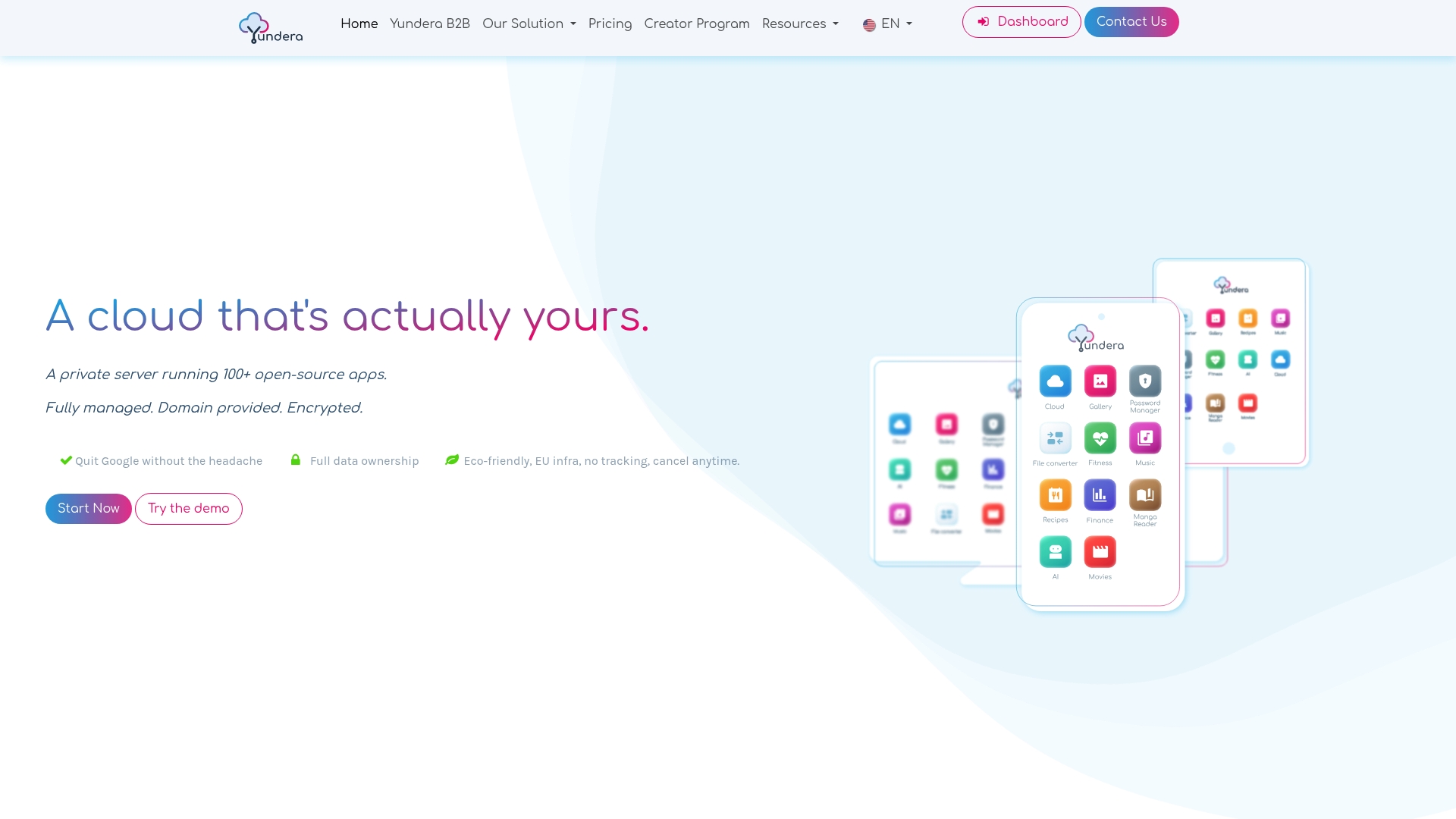
To actually apply your retention periods, you need to know where every copy of your data is and be able to delete it yourself. Bringing your data together on a dedicated server addresses this directly. Yundera offers a managed private server, the Personal Cloud Server, hosted in France and dedicated to a single customer. Your files, documents and office tools all live there, thanks to open source apps you install in one click from an app store. Your intermediate archives are no longer scattered across several online services.
In practice, this changes three things for your retention policy:
- You know where your data is: it stays on your own server, and Yundera neither collects nor sells it. You know where your archives are, and you decide when they get deleted.
- Simple, secure access: every app is available on your own domain over HTTPS, with no static IP, no port forwarding and no certificates to configure.
- No administration needed: you don't need any technical skills, because Yundera manages the server. You can focus on your retention rules, documented in your GDPR record of processing activities.
If you'd like to bring your data together on a server you control before setting your retention periods and purges, visit the Yundera private servers page to compare plans and pricing.
Retention periods: the most common mistakes SMEs make
SMEs rarely get the principle wrong. Where they go wrong is in applying it. Here are the six most common mistakes:
- Keeping everything “just in case”: without a set period, you're not complying with the storage limitation principle.
- Applying 10 years to everything: that period applies to accounting records, not to the entire customer record.
- Leaving archives in the active database: without separation or restricted access, anyone can still view them.
- Forgetting the copies: backups, exports and inboxes keep what the application has deleted.
- Copying a table from a blog: start from the legal texts and the CNIL frameworks.
- Documenting nothing: to an auditor, a period that's missing from your record and your privacy notices doesn't exist.
Review your retention periods every year and document every departure from the frameworks. That's what turns a rule on paper into compliance you can prove.
— Yundera
Sources
- Data retention periods | CNIL
- Human resources management: the CNIL publishes a retention period framework | CNIL
- Article L123-22 - French Commercial Code - Légifrance
- CHAPTER II - Principles | CNIL
- CHAPTER VIII - Remedies, liability and penalties | CNIL
Frequently Asked Questions
How long can you keep a CV after a recruitment process?
According to the CNIL, you can keep an unsuccessful applicant's CV for up to 2 years. If the applicant asks for it to be deleted before then, you must delete it straight away. Don't forget the copies received by email, which are often left sitting in inboxes.
Do you really have to keep invoices for 10 years?
Yes. Article L123-22 of the French Commercial Code requires you to keep accounting documents and supporting records for ten years. This only covers the invoice and its supporting documents, not the customer's entire history. Once the relationship ends, invoices move to intermediate archiving, kept separate from the active database.
Are the CNIL's retention period frameworks mandatory?
No. The HR framework published on April 2, 2026, for example, is “soft law” and isn't mandatory. You can choose a different period, but you then have to justify it in relation to the purpose of the processing and document it in your record.
Do you have to delete personal data from backups?
Backups are subject to the same retention periods as the rest of your data. In practice, you set a backup rotation that matches those periods, so that purged data also disappears from older copies. A backup kept indefinitely cancels out all your purges.
What's the difference between deleting and anonymizing data?
Deletion erases the data permanently. Anonymization transforms it irreversibly, so that the person it relates to can no longer be identified. Truly anonymized data is no longer personal data and can be kept, for example for statistics. Simple pseudonymization, such as replacing a name with an ID, isn't enough.
GDPR Data Retention Periods: A Guide for SMEs