Self-Hosted Encrypted Backup: The Jargon-Free Guide

If you want reliable encrypted backups without running a server yourself, a managed private cloud with AES‑256 encryption and guaranteed data export is the most practical option. Before you sign anything, insist on three things: encryption at rest and in transit, clear key management, and an SLA that actually holds the provider to restore testing.
In short:
- A secure managed private cloud with AES‑256 encryption is the most practical way to get encrypted backups without handling the technical side, as long as you insist on a clear SLA and regular proof that restores work.
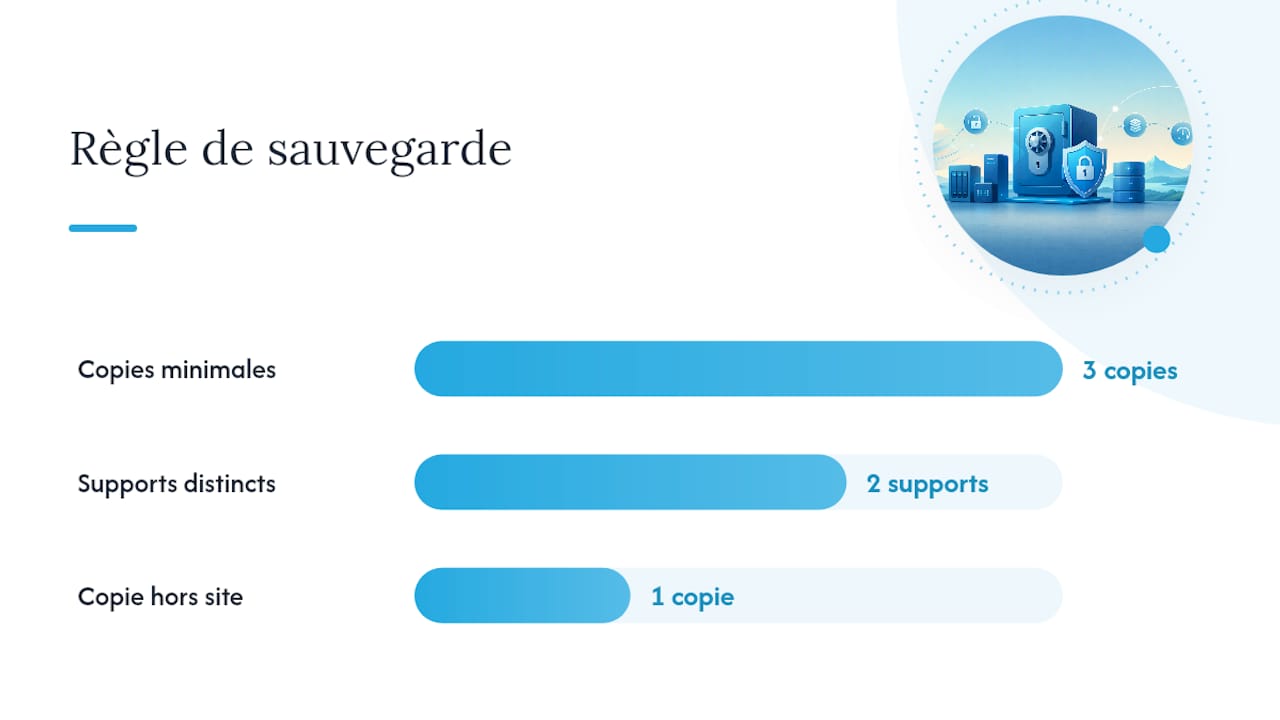
- The 3‑2‑1 rule still applies: keep three copies of your data on two different types of storage, with one copy off-site, and never rely on a single local copy.
- Backup security depends heavily on careful encryption key management. Keep a backup of your keys off-site and make sure the provider has a documented recovery procedure.
- Regular restore tests, documented and written into the SLA, are the only way to know your backups actually work.
- Choosing a managed service such as Yundera removes the risks of doing it all yourself, and you keep ownership of your data because you can export it at any time.
Table of Contents
- What “self-hosted encrypted backup” means in this guide
- Why AES‑256 encryption and the 3‑2‑1 rule are essential
- A practical checklist for setting up managed encrypted backup
- Key management: what decides whether encryption protects your data or destroys it
- Restore tests and SLAs: proof that your backups actually work
- Why a managed service is often the smartest choice for non‑experts
- Yundera: a managed private server built for simple encrypted backup
- Sources
- Frequently Asked Questions
What “self-hosted encrypted backup” means in this guide
In this guide, the term means a fully managed private server. Your backups are encrypted, you remain the owner of your data, and you never have to run the infrastructure yourself. There's no command line and nobody has to watch for updates at 2 a.m. The provider takes care of all that, while you stay in charge of your files and can get them back whenever you want.
This model is aimed mainly at individuals and families who want to protect their photos and documents, but it also suits freelancers and small businesses that don't have their own IT team. They all want roughly the same things: something easy to use, security guarantees they can verify, and the certainty that they can leave with their data if they need to.
This guide does not cover technical self-hosting, where you install and run open source backup tools on your own hardware. That's a different topic, and it calls for different skills and carries different risks.
Why AES‑256 encryption and the 3‑2‑1 rule are essential
Encryption makes your data useless to anyone who doesn't have the key, even if the storage device itself is stolen. AES‑256 is the accepted standard for the job, ideally in its AES‑256‑GCM form, because it protects both the confidentiality and the integrity of your backed-up data.
But encryption is pointless if only one copy of your data exists. That's where the 3‑2‑1 rule comes in, and GDPR guidance on backup compliance recommends it too:
- At least three copies of your data.
- Two different types of storage (for example, a local drive and the cloud).
- One off-site copy, physically separate from the original.
Pro tip: an encrypted copy kept only at home does not count as an off-site backup. If your home or office is hit by a fire or a break-in, that copy is lost along with the original.
On the regulatory side, the CNIL guide on personal data security explicitly recommends encrypting data in transit and regularly checking backup integrity. For a business subject to GDPR, these aren't optional technical extras. They're part of the basic security that regulators expect.
A practical checklist for setting up managed encrypted backup
The method is the same whether you set this up yourself or hand it off to a provider. Work through these steps in order:
- Take stock of your data and rank it by how critical it is: work documents, family photos, customer databases.
- Set your RPO and RTO targets. The RPO (the most data you can afford to lose) sets how often you back up. The RTO (the longest you can wait for a restore) sets how quickly you need to recover after an incident.
- Automate the schedule: daily incremental backups and a weekly full backup, with a clear retention policy covering how many versions to keep and for how long.
- Turn on encryption at rest and in transit, and make sure at least one copy goes off-site. Ideally that copy should be immutable so ransomware can't touch it.
- Ask the provider for real proof: access to activity logs, alerts when a backup fails, and regular restore reports.
A managed service worth its name will never leave you guessing whether your backups work. It will show you the reports.
Key management: what decides whether encryption protects your data or destroys it
Encryption protects your data on one strict condition: you must always be able to get to the key. Lose the key and your backups are gone for good, however strong the underlying algorithm is. That's the paradox of doing encryption properly: it's just as unforgiving to you as it is to an attacker.
There are three main ways to store that key:
- A key management system (KMS) run by the provider. It's convenient, but it means trusting the provider with this specific job.
- A hardware security module (HSM). It's more robust, but rarely within reach of an individual or a small organization.
- A key held by the user. This gives you the most control, but the whole job of keeping it safe falls on you.
In practice, always keep a physical or digital backup of your key: a printed copy in a safe, a copy in a secrets manager and, if possible, one more copy off-site. Before you sign with a provider, check that the contract includes a documented key recovery procedure, lets you export your keys, and covers regular restore tests. For more on encrypted folders and how to restore them, our article on managing encrypted folders and restores explains how it works in practice.
Restore tests and SLAs: proof that your backups actually work
A backup that won't restore is just a corrupted file giving you a false sense of security. Here's how to make sure yours holds up.
- Plan a range of test scenarios: restoring a single file, a full database or an entire virtual machine, with more frequent tests for more critical data.
- Record every result: how long the restore actually took, any missing data, and any gap against your RTO/RPO targets.
- Turn these targets into measurable indicators (SLIs) tied to service level objectives (SLOs), so you move from marketing claims to contractual commitments.
- Ask the provider for hard evidence: test reports, alert logs and uptime history.
Asking for this evidence instead of accepting promises is still the most reliable way to find out whether a provider really keeps its commitments.
Why a managed service is often the smartest choice for non‑experts
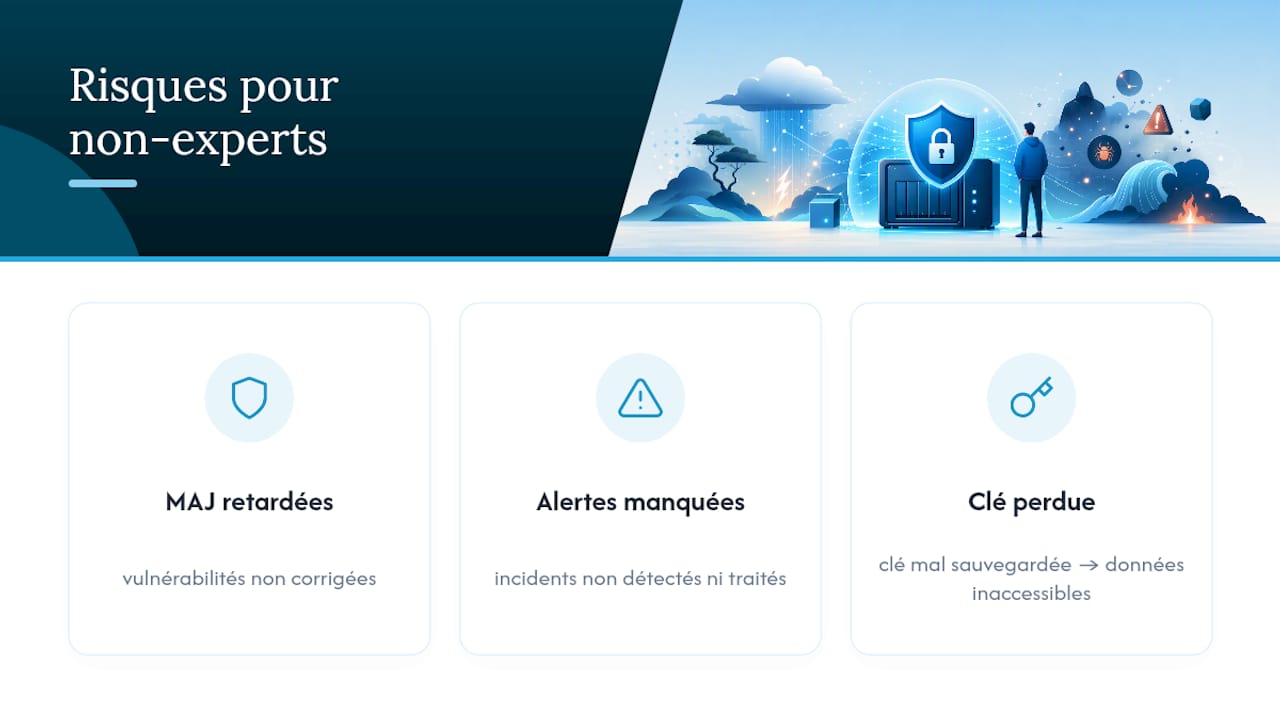
Wanting to manage everything yourself usually comes from a good place: you want full control. But control without the skills to use it quickly turns into a risk instead of an advantage. Without someone keeping watch around the clock, security updates slip, alerts go unnoticed, and a badly backed-up encryption key can lock you out of years of photos or work documents for good.
For an organization without its own technical team, a managed model shifts that operational burden onto a provider that is contractually bound to deliver uptime and working restores. Encryption on its own guarantees nothing. What really makes the difference is strong encryption combined with good key governance and regular testing.
That leaves a question few guides ask clearly: who actually hosts your data, and under what rules? An ethical provider documents its policy of never selling data, states where its servers are located, and guarantees in the contract your right to export your files if you leave. Our article on who really owns your data at a managed host covers this in detail.
— Yundera
Yundera: a managed private server built for simple encrypted backup
Yundera is an alternative to technical self-hosting for anyone who wants encrypted backups without ever touching a config file. Your server is hosted in France on ethical infrastructure that neither collects nor sells any data. It comes with more than 100 pre-installed open source apps, all reachable from your own custom domain.
Before signing up for any managed offer, keep this article's checklist in mind. Ask for the SLA details, the procedure for backing up and recovering keys, and how often documented restore tests are run. A responsible service lets you export your data at any time, so you're never locked into a single provider. For freelancers and creators who want that control without managing infrastructure, the Yundera for creators page explains the offer. If you'd like an overview of the solution and its guarantees first, start with the Yundera private cloud overview.
Sources
To learn more about the recommendations cited in this article:
- Encrypting your backups: AES‑256 and key management
- CNIL guide: personal data security
- Private cloud: managed or self‑managed? (2026)
Frequently Asked Questions
Which encryption algorithm should I use for my backups?
AES‑256 is the recommended standard, ideally the AES‑256‑GCM variant. It keeps your backups unreadable even if the storage device is stolen.
What happens if I lose my encryption key?
If you lose the key, your backups can never be recovered. That's why you should keep several secure copies of the key, including at least one off-site.
Client-side vs. server-side encryption: what's the difference?
With client-side encryption, the key never leaves your device, so your data stays protected even if the backup server is compromised. Server-side encryption relies more on the provider's own security.
How often should I test restoring a backup?
There's no one-size-fits-all schedule. A serious provider documents regular tests and gives you reports showing that your files, databases or virtual machines really do restore.
Can I get my data back if I leave my managed backup provider?
With an ethical provider like Yundera, you can export your data at any time, so you're never locked into a single provider.
Self-Hosted Encrypted Backup: The Jargon-Free Guide