Take Control of Your Data Online: A Practical GDPR Guide

To take back control of your data online, start by enabling two-factor authentication (2FA) on your primary email account. It's the single fastest way to cut your exposure — do it before you change a single password. Then, within the next two hours, work through these steps in order:
- Check for breaches: enter your email address on Have I Been Pwned or Mozilla Monitor to find out whether your credentials have been exposed.
- Install a password manager (Bitwarden, KeePassXC) and replace every reused password with a unique one, starting with your bank accounts and your email.
- Enable 2FA on every sensitive account, favouring an authenticator app such as Authy or Google Authenticator over SMS.
- Audit your connected apps: in your Google or Facebook account settings, revoke access for any third-party app you no longer use.
On the legal side, the GDPR guarantees you a right of access, rectification and erasure of your data. Any data controller must respond to your request within one month, free of charge. These rights apply even if the company is established outside the European Union, as long as it processes the data of EU citizens.
Key Takeaways
Controlling your data online rests on three complementary pillars: immediate technical measures, legal rights you actively exercise, and lasting habits you build into your daily routine.
| Point | Details |
|---|---|
| Top priority: 2FA | Enable two-factor authentication on your email and banking accounts right away, using an authenticator app. |
| Check for breaches now | Use Have I Been Pwned and Mozilla Monitor to find out whether your credentials have been exposed — both free. |
| GDPR legal deadline: one month | Any data controller must answer your access or erasure request within one month, at no cost. |
| Segment your email addresses | One address for official services, another for everyday sign-ups: this limits the fallout of a breach. |
| Yundera for full ownership | A managed private server hosted in France, with no data collection, guaranteed export and over 100 preinstalled apps. |
Table of Contents
- What core principles guide the protection of your data?
- What traces are you leaving without realising it?
- How to configure your tools to cut collection at the source
- Have your accounts been compromised? How to check
- How to exercise your GDPR rights in France: the procedure
- What to do in the 72 hours after a breach or a compromise
- What habits to adopt to stay in control long term
- When should you consider a private server or a personal cloud?
- Why combining law and technology is the only approach that holds up
- Yundera: full ownership of your data, without technical skills
- Useful resources and tools mentioned
- Sources
What core principles guide the protection of your data?
The GDPR rests on a handful of principles every user should know — not to recite them, but to use them as a compass when a decision has to be made.
Consent and withdrawal of consent. You have the right to withdraw your consent at any time, and withdrawing it must be as easy as giving it was. The CNIL points out that companies are required to honour that withdrawal and stop any processing based on that consent.
Minimisation and limitation. The data collected must be limited to what is strictly necessary for the stated purpose. In practice, that means you can challenge the collection of data that looks excessive relative to the service provided.
Transparency. Any organisation processing your data must clearly tell you who the controller is, how long the data is kept and what your rights are. The GDPR applies to EU citizens' data even when the data controller is established outside the Union.
Portability, security and accountability. You can ask to retrieve your data in a machine-readable format in order to move it elsewhere. The data controller is required to secure its processing operations and to account for its practices.
These principles aren't abstract. They define, concretely, what you can demand and what companies cannot refuse you.
What traces are you leaving without realising it?
Your digital footprint is made up of two very different layers, and the two are often confused.
The first layer is visible: your social media posts, your LinkedIn profile, the reviews you leave online. You're aware of them as you create them.
The second is passive and invisible. Third-party cookies record your browsing from one site to the next. Tracking pixels embedded in marketing emails report the exact moment you opened a message. Browser fingerprinting identifies your device without dropping a single file, by combining your screen resolution, your installed fonts and your time zone.
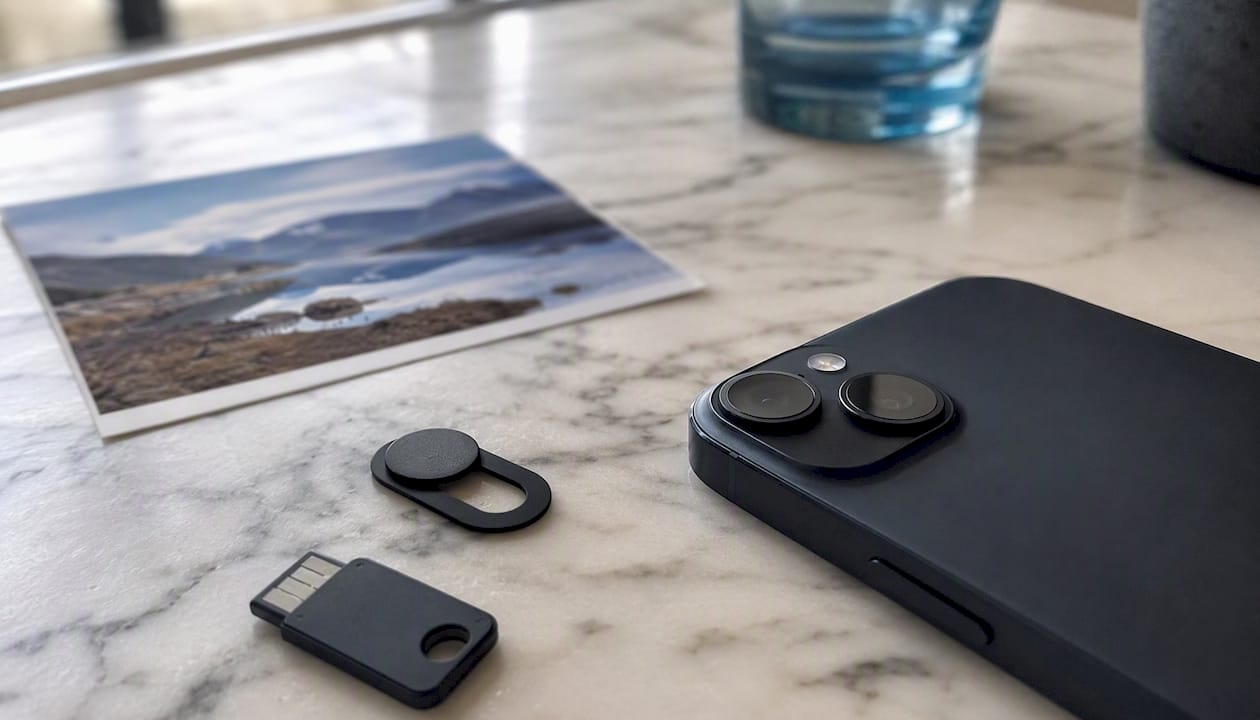
Metadata adds a third dimension that is often underestimated. A photo taken with a smartphone contains EXIF data: GPS coordinates, device model, precise date and time. Sending that photo without stripping it amounts to sharing your exact location at the moment the shot was taken.
Cross-referencing is what makes this information dangerous. Your first name, your city, a photo of your home and your employer all look harmless on their own. Combined, they are enough to build a profile usable for targeted phishing or an identity theft attempt. Attackers don't need a massive breach: a few well-matched pieces of public data are enough.
How to configure your tools to cut collection at the source
Browser
Install uBlock Origin with the EasyPrivacy filter lists. Enable third-party cookie blocking in your browser settings (Firefox does it natively; on Chrome, the option lives under "Privacy and security"). Replace Google with DuckDuckGo or Brave Search as your default engine.
Phone
- Open the settings for each app and review its permissions: location, microphone, camera, contacts. Revoke anything that isn't essential to how the service works.
- Turn off the advertising identifier (IDFA on iOS, GAID on Android) or reset it regularly.
- Turn off Wi-Fi and Bluetooth when you're not using them: these signals allow passive location tracking in shops or on public transport.
Accounts and connected apps
Go to the security settings of your Google, Apple or Facebook account and list every authorised third-party app. Revoke access for the ones you no longer use. This takes about ten minutes and clears out years of permissions accumulated passively. A periodic check every six to twelve months is recommended to stop them piling up again.
Pro tip: For work meetings, consider Zoom alternatives that leave you owning your data, such as the options covered in this comparison of Zoom alternatives.
Have your accounts been compromised? How to check
Three free tools will answer that question in a few minutes. Each has its limits, and using them together gives you a fuller picture.
- Have I Been Pwned: the reference. It aggregates hundreds of public breaches and tells you which services have been compromised for your email address. Free, no sign-up.
- Mozilla Monitor: offers ongoing monitoring of known breaches for the email addresses you register. It complements Have I Been Pwned because it watches partly different databases.
- Google Password Check: available from your Google account settings, it analyses the passwords saved in Chrome and alerts you if any of them has turned up in a known breach.
What to do after an alert:
- Identify the accounts involved and rank them by criticality (email, banking and social media first).
- Immediately change the password on the compromised account, using your password manager to generate a unique one.
- Enable 2FA on that account if it isn't already on.
- Check whether the same password was used elsewhere and change it on all of those accounts.
- Set up Google Alerts (google.com/alerts) on your full name to monitor any public appearance of your information.
Going further, some services offer a dark web scan. These scans are partial by nature: they only cover indexed breaches, not private exchanges between attackers.
How to exercise your GDPR rights in France: the procedure
The GDPR gives you six distinct rights. Pick the one that matches your situation before drafting your request.
- Right of access: obtain a copy of all the data the organisation holds about you.
- Right to rectification: correct inaccurate or incomplete data.
- Right to erasure (the "right to be forgotten"): request deletion of your data, subject to conditions.
- Right to portability: retrieve your data in a structured, machine-readable format.
- Right to object: object to processing based on legitimate interest or carried out for marketing purposes.
- Withdrawal of consent: end processing based on your initial consent.
How to word your request:
- Identify the data controller (named in the service's privacy policy).
- Write an email or letter stating: your full identity, proof of identity if requested, the right you are exercising, and a precise description of the data concerned.
- Send it to the address dedicated to data protection (often [email protected], or via an online form).
- Keep a copy of your request and note the date you sent it.
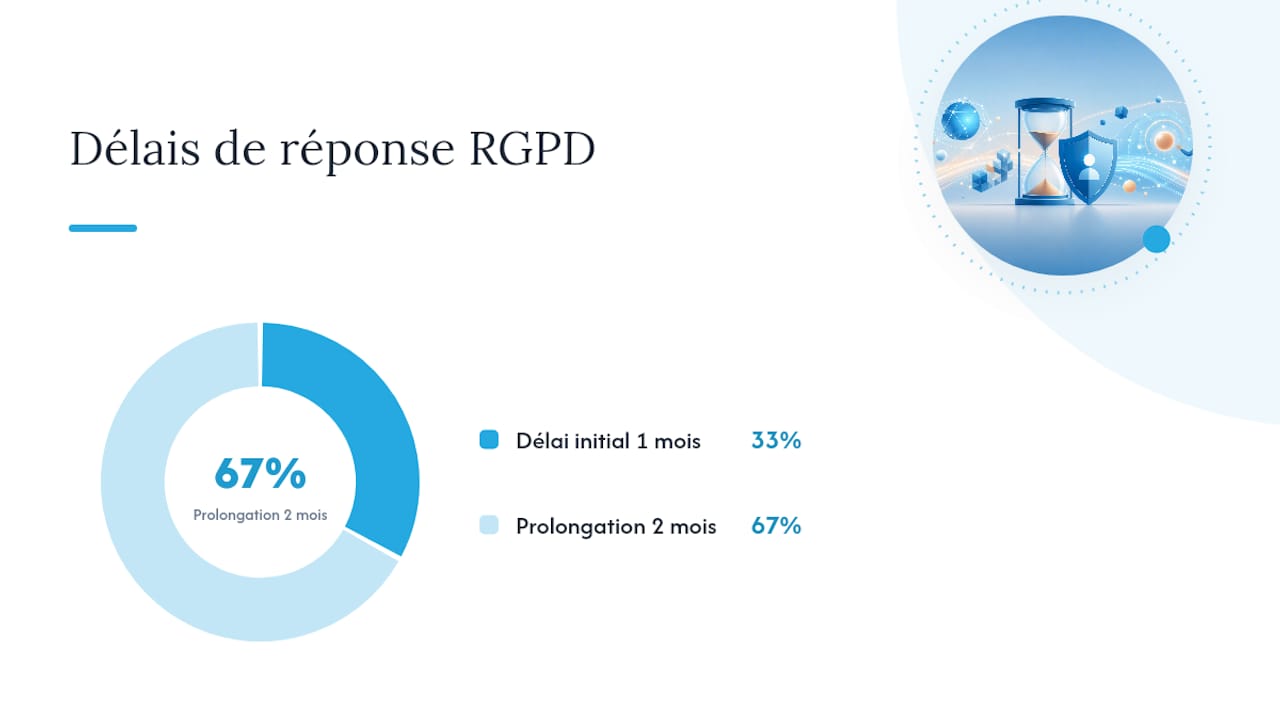
The data controller has one month to respond. That deadline can be extended by a further two months for complex requests, provided they inform you within the first month. If you receive no response within that window, you can refer the matter to the CNIL through its online complaint form.
What to do in the 72 hours after a breach or a compromise
A compromised account calls for a fast, methodical response. Here is the sequence to follow.
In the first hour:
- Sign out of every active session on the compromised account (an option available in the security settings of most services).
- Change the password from a device you consider clean.
- Enable or strengthen 2FA immediately.
- Revoke every third-party app connected to that account.
Within 24 hours:
- Notify your bank if financial data is involved. Ask for enhanced monitoring of your account or a precautionary block on your card.
- Change the password on any other account using the same credentials.
- If sensitive personal data has been exposed (social security number, ID document), report it to Cybermalveillance.
Within 72 hours:
- Build a file: screenshots of the alerts you received, a timeline of events, copies of your exchanges with the service involved.
- If you are the victim of confirmed identity theft, file a complaint with the relevant authorities.
- If you are a data controller yourself (a company or non-profit), you have a legal obligation to notify the CNIL within this window in the event of a breach affecting personal data.
What habits to adopt to stay in control long term
Data protection isn't a one-off project. It's a set of reflexes that, once in place, take only a few minutes a week.
- A unique password for every service, generated and stored in a manager such as Bitwarden or KeePassXC. Email aliases and password managers make this workable without any noticeable day-to-day effort.
- 2FA enabled on all sensitive accounts, using an authenticator app (Authy, Google Authenticator) rather than SMS, which is more vulnerable to SIM-swap attacks.
- Email address segmentation: one address for your official services (bank, tax, health), another for everyday sign-ups. This segmentation reduces the risk of data cross-referencing and limits the damage if a secondary service is breached.
- Deleting dormant accounts: every inactive account is a potential attack surface. Get into the habit of closing accounts you no longer use.
- Encrypted backups of your important data, stored on media separate from your main device. Test a restore at least once a year.
- Systematic updates: most attacks exploit flaws that are already known and patched. Turning on automatic updates for your devices and apps is one of the most effective measures for minimal effort.
Pro tip: Schedule a fifteen-minute "monthly audit": check your breach alerts, review the apps connected to your main accounts, and remove any you haven't used in the past thirty days.
When should you consider a private server or a personal cloud?
The privacy settings on the big platforms limit the public visibility of your data, but they don't stop the service from processing and monetising it internally. The only way to guarantee technical ownership of your data is private or sovereign hosting.
A managed private server becomes relevant in several situations:
- You store sensitive business data (client documents, HR records, intellectual property).
- You handle large volumes of photos, videos or files that you'd rather not hand over to Google Photos or iCloud.
- You need to collaborate with a team without going through tools whose terms of service permit content analysis.
- You want documented data sovereignty, with hosting located in France and a policy of not selling data.
To evaluate a private cloud provider, check these points:
- Physical hosting in France (or in the EU, with a GDPR-compliant data processing agreement).
- An explicit policy of not collecting or reselling data.
- Guaranteed data export in an open format, at any time.
- Support that's accessible without technical prerequisites for the end user.
- Transparency about any subprocessors.
Hosting in France doesn't guarantee confidentiality on its own: also check the provider's data processing policy, its contractual terms and the list of its subprocessors. A provider that hosts in France but resells your metadata to third parties offers you only partial protection. Geographic location is a necessary condition, not a sufficient one.
For sensitive or business data, choosing a solution with client-side encryption, or hosting in France with a no-data-selling policy, reduces both legal and operational risk. The privacy questions raised by AI tools deserve the same vigilance: a guide to AI privacy sets out the precautions to take before using online artificial intelligence services.
Why combining law and technology is the only approach that holds up
Technical measures (2FA, encryption, tracker blockers) are often set against legal action (exercising your GDPR rights, filing with the CNIL). In reality, they don't cover the same ground.
Technology shrinks the attack surface. It prevents passive collection, protects your accounts against intrusion and limits how far data spreads. But it can't erase data a third party has already collected, nor force a company to correct inaccurate information about you.
The law, for its part, gives you levers to act on data others already hold. A well-drafted erasure request can make data disappear from a commercial database. A complaint to the CNIL can unblock a situation where the company simply isn't responding.
The most effective progression is layered: start with the technical actions that cut the most risk in the least time (2FA, a password manager, an audit of connected apps), then step up to legal action for data that's already exposed. The two approaches reinforce each other rather than replacing one another.
Yundera: full ownership of your data, without technical skills
Applying every measure described in this guide will significantly reduce your exposure. But as long as your files, photos and communications pass through third-party platforms, you remain dependent on their terms of service.
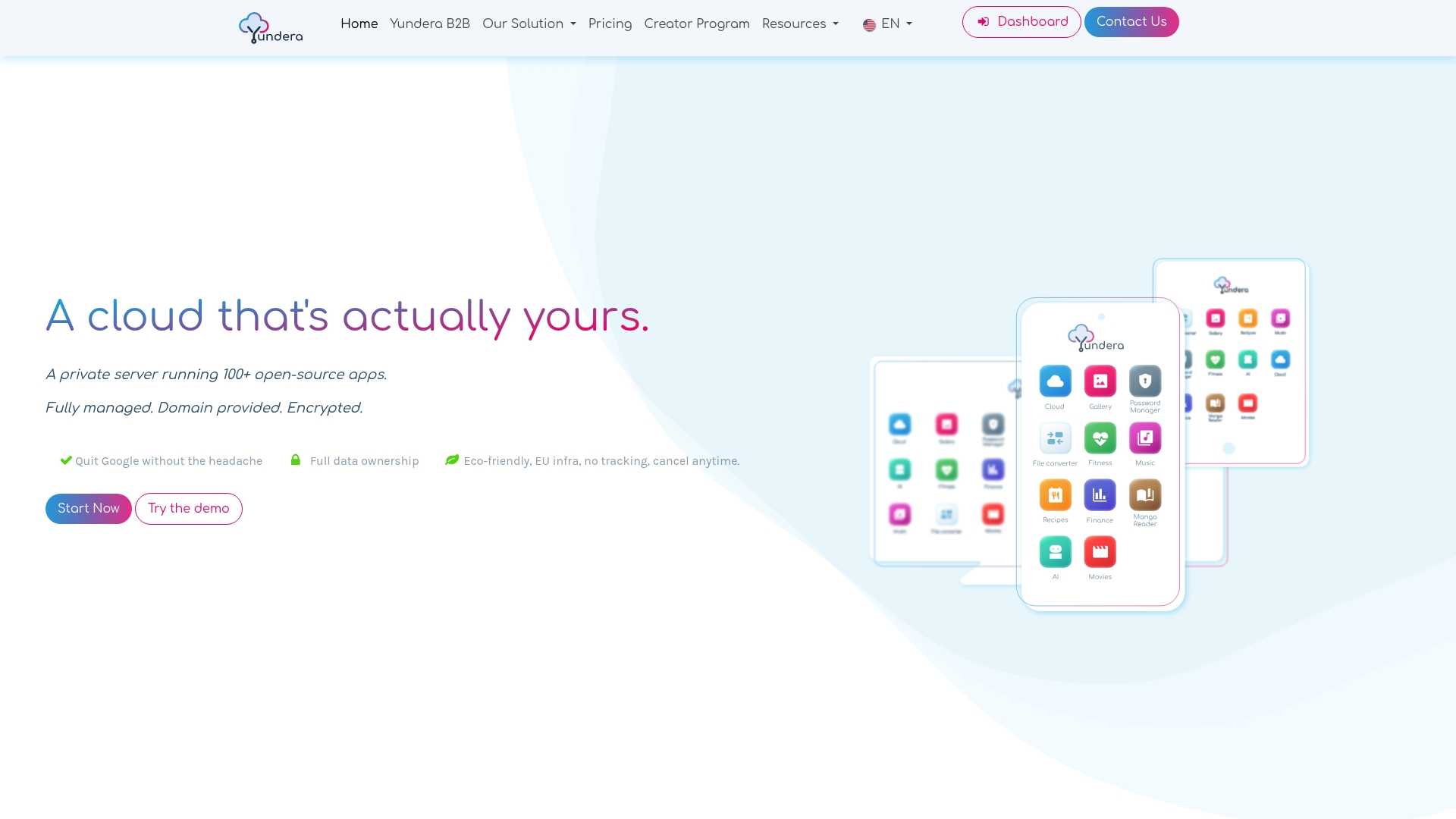
Yundera offers a concrete alternative: a managed private cloud server, hosted in France, with more than 100 preinstalled open-source apps (file storage, photo gallery, password management, VPN, video conferencing, local AI). No data is collected or resold. You can export your data at any time, in an open format. And you don't need technical skills to get started: the setup is fully managed.
The difference compared with a DIY setup? You get maintained infrastructure, accessible support and a documented no-data-selling policy, without spending hours administering a server. For individuals, families or professionals who want real ownership of their data without the technical complexity, it's the direct route. Explore the plans available on Yundera and pick the capacity that fits your needs.
Useful resources and tools mentioned
Rights and legal framework
- CNIL — Individuals' rights over their data: request forms, deadlines and remedies.
- CNIL — Managing my data: practical guides by situation.
- Europa — Data protection and online privacy: the scope of the GDPR for European citizens.
- Info: official French recommendations.
Breach-checking tools
- Have I Been Pwned: free checks by email address or password.
- Mozilla Monitor: ongoing monitoring of known breaches.
- Google Password Check: analysis of the passwords saved in Chrome.
- France Num — Guide to data breaches: a side-by-side look at the free tools.
Recommended tools
- Password managers: Bitwarden (open-source, free), KeePassXC (local, no cloud).
- 2FA apps: Authy, Google Authenticator.
- Tracker blocker: uBlock Origin (browser extension, free).
- Incident reporting: Cybermalveillance.
Going further
- Hosting data in France: a guide for decision-makers — the legal framework and how to choose.
- Secure file sharing: a practical guide — keeping ownership of the files you share.
- AI privacy: what's at stake in 2026 — precautions to take before using online AI tools.
This article is general information and is no substitute for advice from a qualified lawyer. Consult a qualified legal professional about your own situation before acting on this content.
Sources
- Info
- Data protection and online privacy | Europa (Your Europe)
- Data breaches: 3 free tools to check whether your passwords have been compromised
- Mozilla Monitor
Take Control of Your Data Online: A Practical GDPR Guide