Deploy a Self-Hosted Open Source Wiki in 3 Scenarios

When it comes to a self-hosted open source wiki, the first decision isn't which software to run, it's how your content gets stored. A flat-file system like DokuWiki suits personal use or a small team that wants backups to stay simple. A database-backed system like MediaWiki becomes necessary as soon as your content volume or contributor count starts to grow. Everything else, DokuWiki, Wiki.js, XWiki, BookStack and the rest, follows from your specific use case.
In short:
- A low-volume self-hosted wiki like DokuWiki or LeafWiki needs few dependencies and deploys quickly, making it ideal for personal use or a homelab.
- SQL-backed solutions such as MediaWiki or XWiki require a more involved initial setup but handle massive content libraries and large audiences.
- Backing up a flat-file wiki comes down to copying a folder, while SQL-backed systems need regular dumps to keep your data safe.
- Self-hosting means ongoing maintenance, with added risk around updates and vulnerability management, unless you go with a managed solution.
- Easy export to Markdown or a SQL dump is essential if you want to keep full control of your data, especially during a migration or a change of tooling.
Table of contents
- Which self-hosted enterprise wiki should you choose for your use case?
- How do you pick free wiki software that fits your situation?
- How do you deploy a self-hosted wiki in three typical scenarios?
- What criteria is this open source wiki comparison based on?
- Should you run your wiki yourself or go with a managed offering?
- Which open source wiki fits your user profile?
- What this comparison taught us at Yundera
- Yundera: the managed private server that keeps your open source apps running without the technical burden
- Where can you find the official documentation for these open source wikis?
- Sources
Which self-hosted enterprise wiki should you choose for your use case?
Every tool on this list answers a different profile. Some prioritise being lightweight, others collaborative structure, others compatibility with existing technical workflows. Here's a quick rundown of the main open source wiki solutions available today.
DokuWiki stores each page as plain text, with no database. You back up the entire wiki by copying a single folder, which is exactly why it remains the default pick for internal documentation, a personal wiki or a homelab. Its built-in access control (ACL) and authentication connectors also make it a serious option for teams that want to restrict certain pages without standing up heavy infrastructure.
MediaWiki is the engine behind Wikipedia. It's built for massive scalability and for public knowledge bases running into millions of pages, but it requires a SQL database and more demanding administration than DokuWiki. If your project targets a broad audience with serious indexing requirements, it's the natural benchmark.
Wiki.js bets on a modern experience: native Markdown editor, open API, and an architecture built on Node.js with PostgreSQL or MySQL as options. It's the compromise that speaks loudest to technical teams who want to connect their wiki to other internal tools.
XWiki targets structured organisations: deep extensions, advanced collaboration features, fine-grained space management. It asks for more configuration up front, but rewards organisations with genuine customisation needs.
BookStack organises content into books, chapters and pages rather than a free-form tree. Its interface, with an editor that switches between Markdown and WYSIWYG, appeals to teams documenting business processes in a linear way.
LeafWiki, written in Go, stands out with a single binary and Markdown storage on disk, with no external dependencies to install. It's the most minimalist option for a homelab or for anyone who refuses the complexity of an application server.
Gollum is built entirely on Git: every change becomes a commit, every page stays a versioned Markdown file. Teams already comfortable with Git get native history without any extra versioning tool.
| Tool | Storage type | Technical level required | Ideal use case |
|---|---|---|---|
| DokuWiki | Flat files | Low | Personal wiki, homelab, internal docs |
| MediaWiki | SQL database | High | High-volume public knowledge base |
| Wiki.js | Node/PostgreSQL or SQLite | Medium | Technical teams, API |
| XWiki | SQL database | High | Organisations with collaboration needs |
| BookStack | SQL database (MySQL) | Medium | Documentation structured as books |
| LeafWiki | Markdown files | Low | Homelab, single binary |
| Gollum | Git repository | Medium | Version-controlled technical notes |
To get going fast, DokuWiki and LeafWiki launch in minutes with no database to provision. MediaWiki and XWiki need a SQL database prepared beforehand, which stretches out the first install but pays off over time if your volume grows.
How do you pick free wiki software that fits your situation?
Before deciding between two tools that look alike on paper, run your project through a grid of concrete criteria. These are the points that really make a difference once the wiki is in production.
- Installation: a Docker container isolates dependencies and simplifies updates, but requires you to manage persistent storage and volume permissions to avoid data corruption. A native package or a single binary like LeafWiki's skips that layer, at the cost of less portability between servers.
- Maintenance: every extra dependency, PHP, Node, a MySQL database, is another attack surface to watch and another security update to apply.
- Backups: copying a directory is enough for a flat-file wiki, whereas a database-backed system needs a regular SQL dump on top of the file volume.
- Security: TLS through a reverse proxy (Nginx, Caddy) and properly configured authentication remain non-negotiable, whichever tool you pick.
- Hidden costs: the time spent tracking CVEs, testing updates and documenting the restore procedure often weighs more than the cost of the server itself.
Pro tip: before choosing your tool, write down how many contributors you expect over the next twelve months. A wiki that stays under ten active users almost never needs MediaWiki's power.
How do you deploy a self-hosted wiki in three typical scenarios?
The skeleton of the deployment barely changes, whether you're setting up a personal wiki, a team space or a public knowledge base. Here's how to approach each one.
Scenario 1, personal use (DokuWiki or LeafWiki):
- Reserve a subdomain and point its DNS record at your server.
- Install a reverse proxy (Caddy handles Let's Encrypt automatically) to get TLS without any manual configuration.
- Start the container with a volume mounted on the data folder, for example
docker run -v /data/dokuwiki:/var/www/html/data. - Test a restore right away by copying that folder elsewhere and reloading it: it's the only way to know whether your backup actually works.
Scenario 2, technical team (Wiki.js or XWiki):
- Prepare a dedicated PostgreSQL or MySQL database before the first launch.
- Use a
docker-compose.ymlfile that declares the application service and the database together, with separate volumes for each. - Configure authentication through LDAP or SSO if your team already uses a directory.
Scenario 3, large public knowledge base (MediaWiki):
- Provision a SQL database sized for the growth you expect, not just for launch day.
- Enable caching (Memcached or Redis) from the start to absorb traffic.
- Schedule an automated daily SQL dump, on top of backing up your media files.
In all three cases, a monthly restore test remains the only reliable proof that your backup strategy will hold up the day you need it.
What criteria is this open source wiki comparison based on?
The table and recommendations in this article draw on three kinds of sources: each project's official documentation, technical comparisons published by self-hosting communities, and benchmark pages where they exist. The criteria used to compare the tools are deliberately simple and reproducible:
- Storage type (flat files, SQL, SQLite) and its direct impact on backups.
- The level of system dependencies required (PHP alone, Node, an external database).
- Whether native export to Markdown, XML or a SQL dump is available.
- Support for a Markdown or WYSIWYG editor.
On performance specifically, comparisons between DokuWiki and MediaWiki show that DokuWiki starts with lower overhead in a standard configuration, a clear advantage on PHP environments without cache acceleration. That finding carries weight in the recommendation for small deployments, but it says nothing about scalability beyond a few thousand pages, terrain where MediaWiki takes the lead again.
This comparison has its limits. Community extensions move fast, and a feature missing today may show up in a future release. Performance figures also depend enormously on server configuration, the cache in use and the real content volume, which makes any absolute measurement hard to generalise to your specific case.
Should you run your wiki yourself or go with a managed offering?
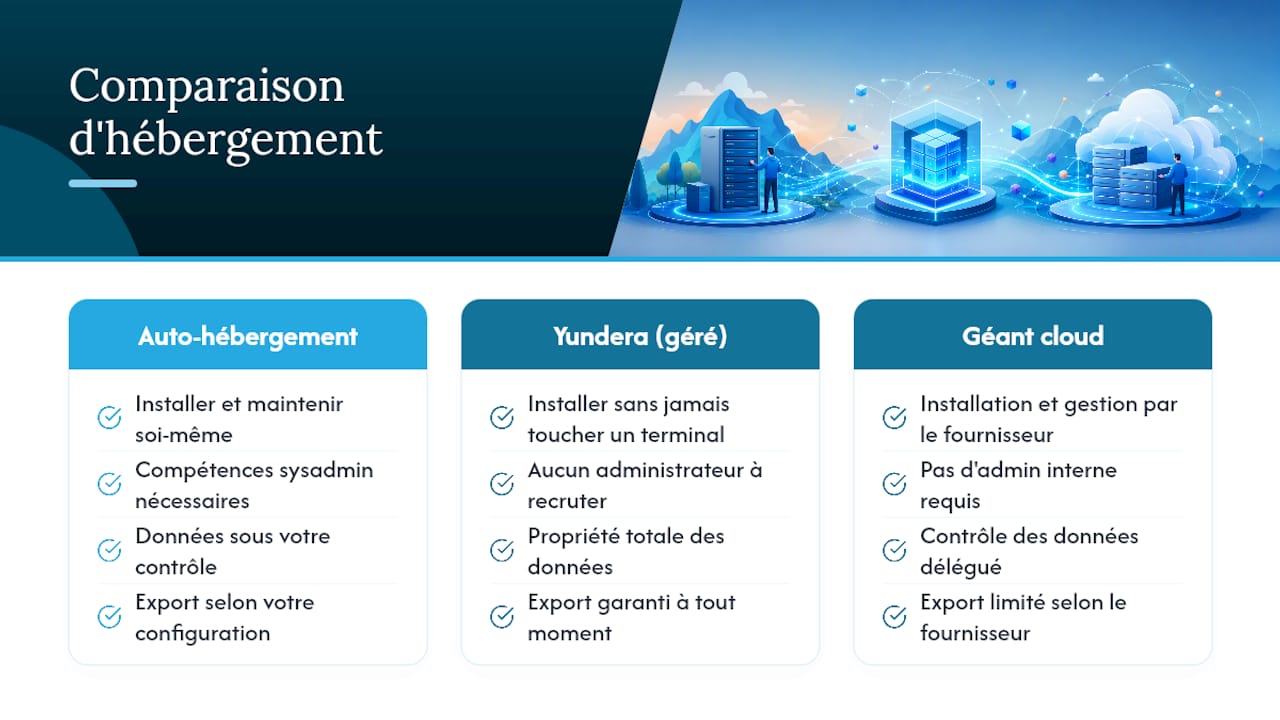
Self-hosting gives you total control over your data, but it carries a real cost in time: applying security patches, monitoring CVEs, testing backups. To cut that load, go with managed, secured web hosting that outsources maintenance while keeping security guaranteed. For a team without a dedicated sysadmin, that time adds up fast and becomes the project's real hidden cost.
The choice isn't "open source versus proprietary." It comes down to this question: who, on your side, is going to apply the next security update six months from now, and how closely will they be paying attention?
A managed offering doesn't change the software you install, it changes who carries the operational load. For a small organisation, that reduces the risk of leaving a server unpatched for months.
Pro tip: always keep the ability to export your pages as Markdown or a SQL dump, even with a managed host. That's what stops you being locked into a platform the day you want to migrate.
Which open source wiki fits your user profile?
- Personal or homelab profile: go with a flat-file tool like DokuWiki or LeafWiki. Backups fit in a single command, and the server footprint stays minimal.
- Technical team: Wiki.js or XWiki bring the API and integrations that older tools lack.
- High-volume public knowledge base: MediaWiki remains the benchmark, designed from day one for millions of pages and heavy traffic.
- You'd rather delegate the infrastructure: a managed solution removes the maintenance burden without cutting you off from the open source ecosystem.
What these four profiles have in common: none of them needs the same solution, and that's precisely why asking "what's the best open source wiki" is the wrong question until you've defined your use case first.
What this comparison taught us at Yundera
Watching the choices made by the teams who reach out to us, we noticed a recurring bias: many default to MediaWiki out of reflex, because it's the name they know, when their actual usage looks much more like DokuWiki or BookStack. The best-known name is almost never the right selection criterion.
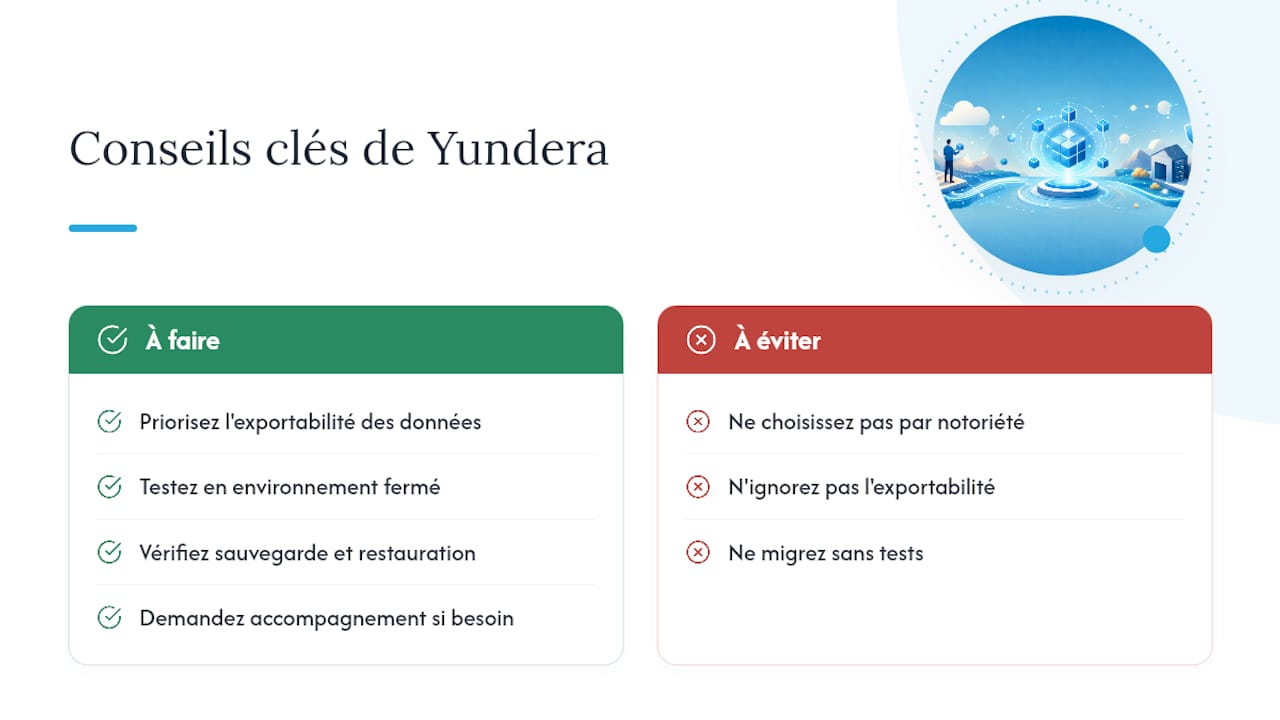
What really matters, in our view, is exportability. A wiki you can't easily get out as Markdown or a SQL dump locks you in, even if the software you started with is open source. That's why we support teams who want to run a self-hosted open source wiki without shouldering the server maintenance alone, while keeping the guarantee that they can walk away with their data at any time.
Our advice never changes: test your tool in a closed environment, with dummy data, before any real migration. It's the only way to confirm that backup and restore work as advertised, before it counts.
— Yundera
Yundera: the managed private server that keeps your open source apps running without the technical burden
You've identified the tool that matches your need, DokuWiki, Wiki.js, MediaWiki or another. That leaves the question of who's going to install it, secure it and maintain it six months from now. Yundera is the alternative to improvised self-hosting: a managed private server, hosted in France, on which you install your wiki (or any of the 100+ open source applications available) without ever touching a terminal.
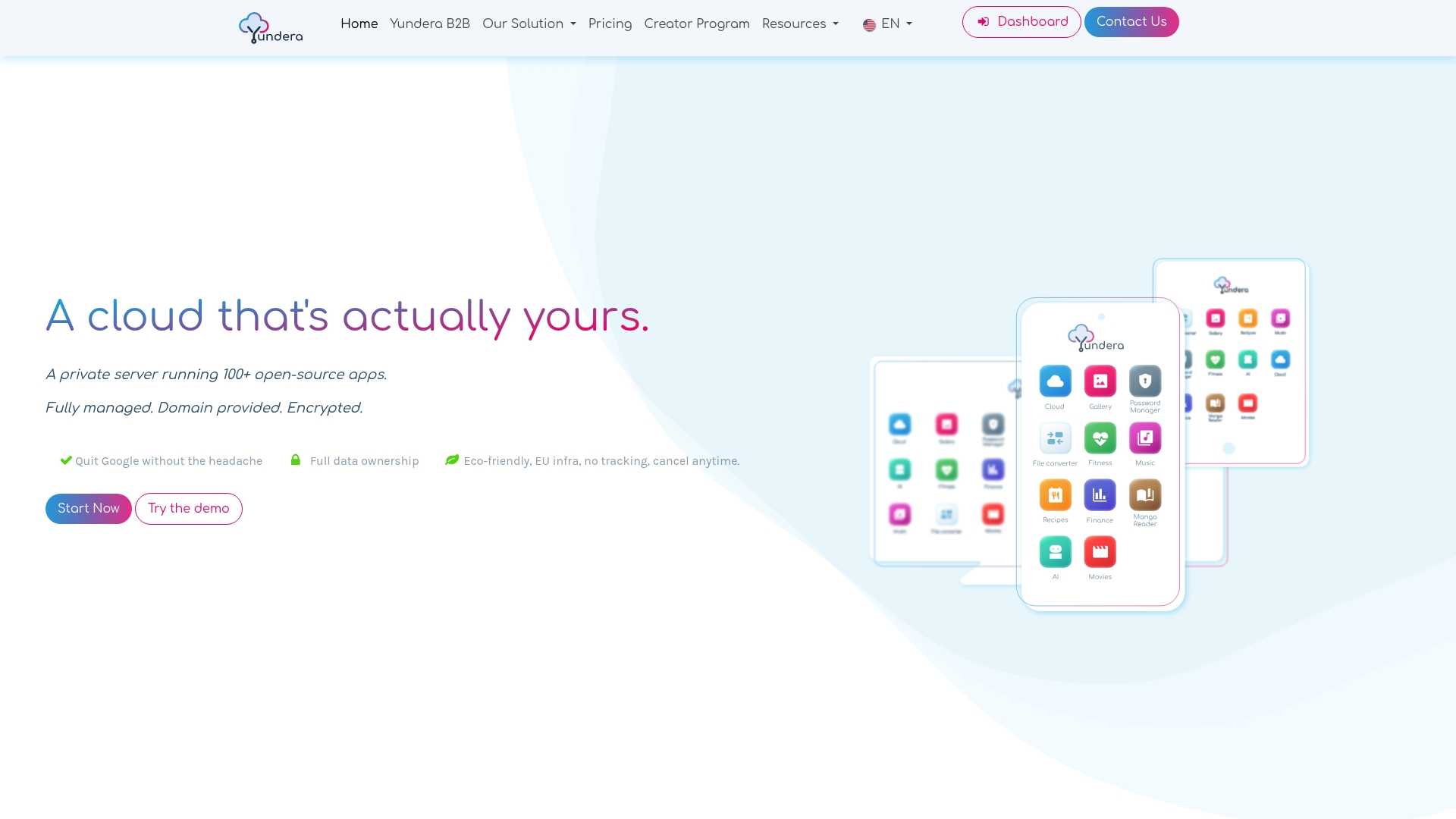
You keep full ownership of your data, with export guaranteed at any time, and secure access from anywhere through your own domain name. No data is collected or resold: the infrastructure stays ethical end to end. For small teams or freelancers who want to create a private wiki without hiring a sysadmin, it's the middle ground that avoids the binary choice between fending for yourself and losing control to a cloud giant.
Head to the Yundera private server page to see how to spin up your own instance and which open source applications come with it out of the box.
Where can you find the official documentation for these open source wikis?
To dig deeper into each tool mentioned, the official sources remain the best entry point: they document the available extensions, the update procedures and the known limitations of each version.
- DokuWiki's official documentation covers installation, ACLs and the plugin system.
- The MediaWiki wiki covers the architecture, extensions and scaling guides.
- The Wiki.js documentation explains Node/PostgreSQL configuration and API usage.
- The DokuWiki versus MediaWiki benchmark comparison on Meta-Wiki gives useful performance reference points before you decide.
- LeafWiki's GitHub repository remains the reference for single-binary installation instructions.
To go further on collaborative alternatives close to wikis, our article on the best Confluence alternatives is a useful complement to this comparison.
Deploy a Self-Hosted Open Source Wiki in 3 Scenarios