Hosting a Static Blog: The Complete 2026 Guide

For most bloggers, a managed private server remains the simplest option if you want to keep control over your data and your privacy. Free Git-based solutions like GitHub Pages are still perfect for a public project or a first technical experiment. This guide covers the complete workflow, the generators worth considering, the real costs, and the common troubleshooting steps.
In short:
- A managed private server gives you full control over your data, which is ideal for organisations that need legal sovereignty and stronger privacy guarantees.
- The real cost of hosting depends on traffic, builds, add-on services and backups, well beyond the limits of free plans.
- Maintenance covers certificate management, security updates and data backups — an area where a private server makes life considerably easier.
- Your choice of generator affects build speed and the plugin ecosystem, with Hugo the preferred option for large or frequently updated projects.
- Security comes down to always enabling HTTPS, configuring security headers, and restricting write access to the Git repository.
Table of contents
- Which type of hosting should you choose for your static blog?
- How do you publish a static blog, from Markdown files to the web?
- Which static site generator should you choose for your blog?
- What does hosting a static blog really cost?
- How do you fix the most common problems with a live static blog?
- Why a managed solution protects your blog data better
- Securing a static blog: the habits that matter
- Optimising speed and SEO for a static blog
- Can you add forms or comments to a static blog?
- What most guides forget to mention about static hosting
- Publishing your static blog on a server that is genuinely yours
- Sources
Which type of hosting should you choose for your static blog?
Three profiles come up again and again among people looking to host a static blog. The decision isn't only about budget: above all, it depends on how much you're willing to manage yourself.
The beginner testing a personal blog. You want to publish a few articles and pick up Git along the way, without spending a penny. A free deployment via GitHub Pages or GitLab Pages fits this case perfectly, as long as you accept the constraints of a public project and a bit of command-line work.
The standard professional blog. You publish regularly, you need a reliable custom domain and an SSL certificate you never have to think about. Cloud platforms specialising in static deployment (with an automatic build on every push) suit this need well, in exchange for a subscription that climbs quickly if traffic or build volume takes off.
The project with sovereignty requirements. You work for an organisation that has to be able to account for where its data lives, or you simply no longer want to depend on a provider that could mine your visitor statistics. In that case, a managed private server hosted in a country whose legal framework you understand becomes the only option that genuinely ticks every box.
Here are the criteria that should drive your decision, in the order they actually matter:
- Data control: who can technically access your files, your logs and your visitor statistics?
- Contractual privacy: does the provider resell or analyse your data for advertising purposes?
- Predictable cost: does the price stay stable if your traffic doubles in a month?
- Maintenance: who handles security updates, certificates and backups?
Pro tip: *Ask yourself three questions before choosing: do I need my code to stay public, do I have a professional confidentiality requirement, and am I willing to learn Git to save on a subscription?
A managed private server removes the maintenance question entirely while keeping your data with you, which makes it a rare middle ground between simplicity and control.
How do you publish a static blog, from Markdown files to the web?
Publishing a static blog always follows the same logic, whichever generator you pick: your source files go through a build tool that produces pure HTML, and that HTML is then deployed to a server or a content delivery service.
1. Set up the Git repository and the project structure
This separation makes long-term maintenance far easier, particularly if you switch themes two years down the line.
2. Build the site locally and check the output
Before you push anything live, run the build locally. Every generator has its own command (hugo, jekyll build, eleventy), but the principle is identical: the engine reads your Markdown files, applies your templates, and produces a folder of static HTML/CSS/JS files ready to be served. Open that folder in a browser to catch broken links or missing images before you go live.

3. Automate the build with continuous integration
This is the step that turns a static blog into a genuinely manageable project. Set up a pipeline that automatically triggers a build on every push to the main branch: the code is pulled, the generator produces the HTML, and the result is deployed with no manual intervention. Static publishing best practices also recommend planning for a simple rollback via a Git tag or a deployment restore, so you can quickly undo a faulty release.
4. Configure the domain and enable HTTPS
Most modern platforms then generate an SSL certificate automatically, usually via Let's Encrypt, with no manual configuration. Always check that every HTTP request is redirected to HTTPS, otherwise some visitors will see a security warning in their browser.
On more technical cloud infrastructure such as object storage with static website hosting enabled, you also need to configure logs and metrics as soon as you switch it on, or you'll be flying blind.
5. Set up a content delivery network and lightweight monitoring
A CDN places copies of your site on geographically distributed servers, which cuts load times for your visitors. Modern static hosting services include this by default, which reduces both load times and your attack surface compared with a traditional dynamic site. Add a basic monitoring tool (an hourly ping is plenty for a blog) so you're alerted if it goes down.
6. Run through the post-deployment checklist
Before you call the job done, go through this list:
- The
sitemap.xmlfile is generated and reachable. - The
robots.txtfile allows indexing of your public pages. - Meta tags (title, description,
og:image) are present on every article. - A Lighthouse test shows no major performance regression.
This go-live checklist avoids the classic nasty surprise: a beautiful blog locally, but invisible on Google for want of a sitemap.
Which static site generator should you choose for your blog?
Your choice of generator directly shapes your day-to-day workflow, not just how the finished result looks.
Jekyll remains the historical reference, largely because it integrates natively with GitHub Pages with no extra configuration. Its Liquid syntax is easy to learn, but build times slow down noticeably past a few hundred articles.
Hugo bets everything on speed: a blog of several thousand pages builds in seconds. It's the logical choice as soon as your publishing frequency increases or build time becomes a cost factor with your host.
Eleventy wins people over with its flexibility: it imposes almost no structure on you and accepts several template engines within the same project. Ideal if you want to control every detail without starting from scratch.
Gatsby is built on React and suits projects that need rich interactivity alongside static content. Its learning curve is steeper, and its builds are generally slower than Hugo's for an equivalent volume of content.
In practice, the generator you pick determines your plugin ecosystem as much as your build speed: a small personal blog with occasional posts sits very comfortably with Jekyll or Eleventy, while a large multi-author blog has everything to gain from an ultra-fast engine like Hugo.
A few practical pointers to guide you:
- Small blog, infrequent posts: Jekyll or Eleventy — simplicity above all.
- Large blog, frequent posts: Hugo, for builds that stay fast at scale.
- Site with interactive components: Gatsby, if you already know React.
- Migrating from WordPress: plan a clean content export to Markdown before picking a generator; it's also worth comparing alternatives such as Ghost versus WordPress if you're still weighing static against a traditional CMS.
What does hosting a static blog really cost?
Free plans cover a lot of ground, but rarely without limits. Most impose a monthly bandwidth quota and a cap on build minutes, and some flatly prohibit commercial use beyond a certain traffic threshold — which often catches out bloggers who start monetising their content later on.
Several factors make the real bill vary once you move past the free tier:
- Traffic: beyond a certain visitor volume, cloud platforms bill for bandwidth consumed.
- Number of builds: every
pushtriggers a build, and some plans charge for cumulative minutes above an included allowance. - Additional serverless functions: a contact form, server-side search or a lightweight API each add a separate line to the bill.
- Logs and backups: long-term retention of access logs is rarely included in entry-level plans.
To estimate a realistic monthly budget, simply add up a base subscription, some headroom for traffic if your audience grows, and the cost of a domain name (roughly €10 to €15 a year in most cases). A managed private server simplifies this calculation by generally bundling everything into a fixed price.
A few habits are enough to bring the bill down without sacrificing quality: compress your images before adding them, set a long cache on static files, and limit automatic builds to merges on the main branch rather than every test commit. Automating builds while keeping their frequency in check mechanically reduces costs on plans that bill for consumed minutes.
How do you fix the most common problems with a live static blog?
Most incidents on a static blog come down to a handful of recurring causes, easy to diagnose once you know them.
- A build error blocking deployment. Check the pipeline logs first: a missing dependency or a syntax error in a configuration file is the most common cause. Reproduce the build locally before blaming your host.
- The domain isn't pointing correctly. Confirm that your DNS record (CNAME or A) exactly matches the value your host expects. DNS propagation can take up to 48 hours, which explains a lot of false outage diagnoses.
- The HTTPS certificate won't generate. This often happens when DNS hasn't finished propagating at the moment the certificate is requested. Retry the generation once the domain has settled.
- The CDN is still serving an old version after an update. Force a manual cache invalidation rather than waiting for natural expiry, especially after an urgent fix.
- You need to roll back quickly. Always keep a Git tag on every published version: a clean rollback then takes seconds instead of turning into a hunt for the offending commit.
Regular backups of the Git repository, combined with a periodic content export, remain the best protection against data loss, whichever hosting solution you choose.
Why a managed solution protects your blog data better
Even a well-built static blog stays vulnerable on one point technical tutorials rarely address: data scattered across multiple providers. Your code with a Git host, your statistics with a third-party analytics service, your forms with yet another provider — every extra link in the chain is another opportunity for your data to slip out of your control.
That's exactly the problem a managed private infrastructure solves. Yundera hosts its servers in France and guarantees that no data is collected or resold, with an export available at any time should you decide to move on. This approach also simplifies GDPR impact assessments for professional organisations, since guaranteeing data exportability and location becomes a given rather than a contractual negotiation.
A managed private server avoids the scattered assembly of third-party services that so often characterises a home-made JAMstack setup, where every building block adds another provider to keep an eye on.
In practice, this approach changes things in three common situations:
- An organisation that has to demonstrate where its visitor data resides for a compliance audit.
- A freelancer hosting several client blogs who wants to avoid juggling five different dashboards.
- A family or small team that wants to host a blog alongside other uses (file sharing, photos) on the same infrastructure, with more than 100 open-source applications available.
To dig deeper into the implications of data location, the guide on hosting data in France lays out the criteria that genuinely matter to decision-makers.
Securing a static blog: the habits that matter
A static site already reduces the attack surface compared with a dynamic CMS, since it exposes neither a database nor a server-side interpreter to compromise. But that simplicity doesn't excuse you from a few precautions.
Always enable HTTPS everywhere, including on the preview subdomains your build tools sometimes generate automatically. Configure security headers such as Content-Security-Policy to restrict which scripts are allowed to run on your pages, especially if you embed third-party widgets.
Keep an eye on your generator's dependencies: a Jekyll theme or an Eleventy plugin abandoned years ago can contain known vulnerabilities, even if the final site is static HTML. Also restrict access to your Git repository: every collaborator with write access can technically trigger a deployment, which deserves real vigilance in organisations with several contributors.
Finally, encrypt your backups and keep at least one copy outside your main hosting platform. A managed private server simplifies this dimension, since security updates to the underlying infrastructure are handled by the provider with no action needed from you.
Optimising speed and SEO for a static blog
A static site starts with a natural SEO advantage: load times are generally excellent straight out of the build, which works directly in favour of the Core Web Vitals Google monitors. Don't squander that advantage with oversized images or poorly optimised web fonts.
Generate a sitemap.xml file on every build and submit it to Search Console to speed up indexing of your new articles.
On the tags side, every page needs a unique title, a meta description written for a human rather than an algorithm, and a heading structure (H1, H2, H3) consistent with the content. Automated Lighthouse tests built into your pipeline let you catch a performance regression before it reaches your readers rather than after.
Don't overlook internal linking: a well-structured static blog connects its articles through contextual links, which helps both visitors and search engines understand the hierarchy of your content.
Can you add forms or comments to a static blog?
No database doesn't mean no interactivity. A static blog can perfectly well include a contact form via a third-party service that receives submissions as a POST request and forwards them by email, without ever requiring an application server on your side.
For comments, the most common solution is still to embed an external widget that loads the discussion dynamically via JavaScript, independently of the static HTML generated at build time. Some teams prefer a more radical approach: comments submitted through a form open a pull request which, once approved, automatically republishes the site with the new comment included in the Markdown content.
Client-side search, based on an index generated at build time, also lets you add a search function without a dedicated backend. These building blocks stay light to maintain as long as they don't try to reinvent a full CMS on top of a static generator, which would defeat the simplicity you were after in the first place.
What most guides forget to mention about static hosting
Most tutorials sell static as free and effortless. That's true for the first month. What really counts in the medium term is the time you'll spend patching things back together between your generator, your Git host, your CDN and your third-party tools every time one of them changes its terms or its pricing.
The classic mistake is picking the trendiest generator rather than the one suited to your actual publishing frequency. A blog that puts out two articles a month has no need for Hugo's ultra-fast builds; it needs a pipeline that never breaks between two dependency updates.
The real priority is choosing, from the outset, a chain you won't have to rebuild in eighteen months. A managed infrastructure that guarantees you can export your data removes that lock-in risk without forcing you to give up control.
— Yundera
Publishing your static blog on a server that is genuinely yours
Yundera is the concrete alternative to setups scattered across a Git host, a third-party CDN and a separate analytics service: a single managed private server, hosted in France, where your blog lives alongside your other digital uses without ever handing your data to a third party.
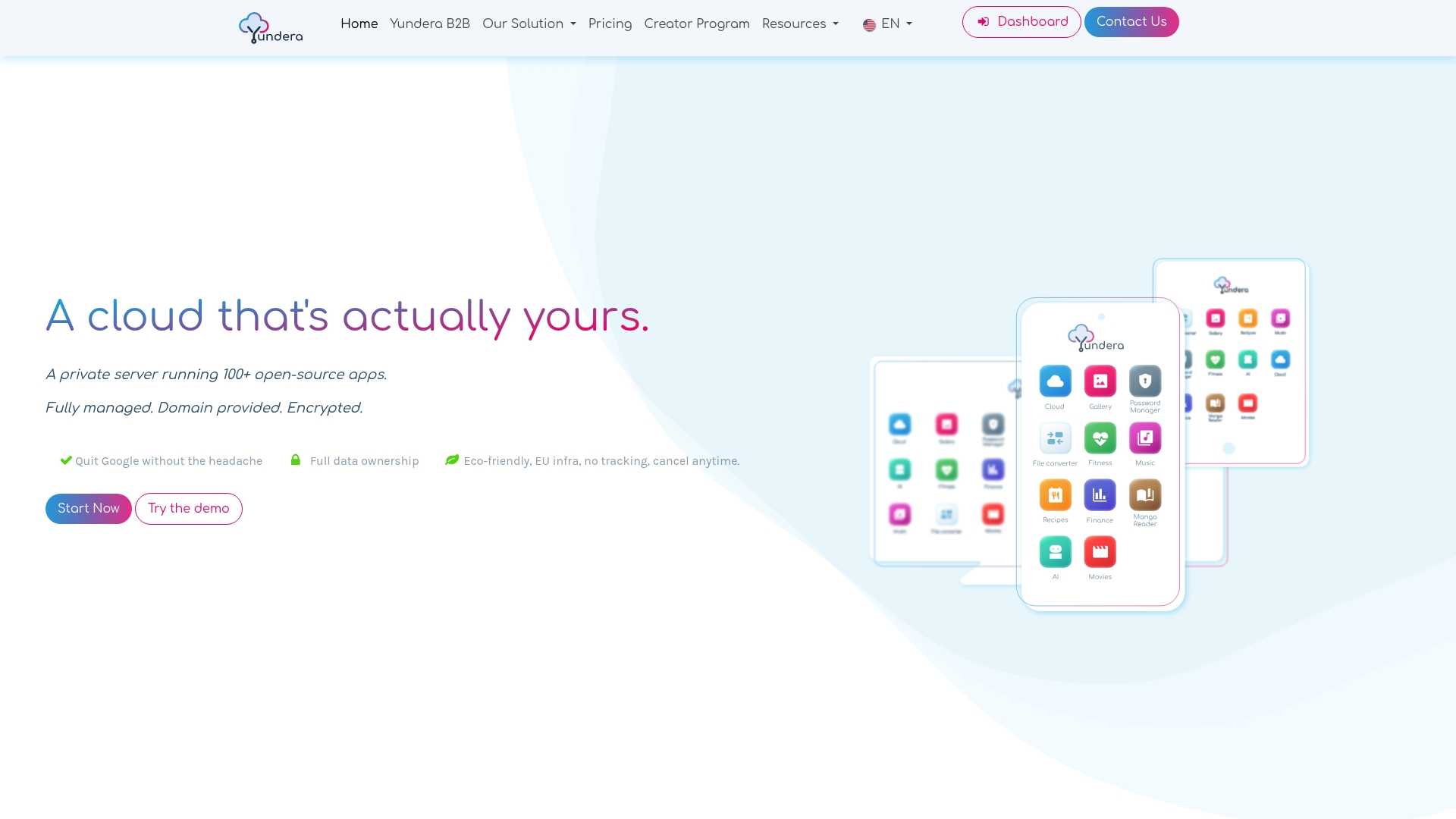
The offer includes full infrastructure management, access to more than 100 open-source applications so you can host your site alongside other services (storage, photos, collaboration), and a custom domain with an automatically managed SSL certificate. No technical skills are required to get started, and your data stays exportable at any time if you change your mind. If you'd rather delegate the technical build entirely, partners such as Campus Consulting's no-code support can help you get going, as can dedicated training courses if you'd prefer to build the skills yourself.
Have a look at the page for individuals who care about their data to see exactly how to set up your first server, or explore the offer designed for startups and small businesses if you're running several projects in parallel.
Sources
- 6 Best static website hosting services in 2026 — hostadvice
- Static web hosting: choosing the right generator for a simple blog
Hosting a Static Blog: The Complete 2026 Guide