Data Ownership: What a Managed Private Server Really Changes

Data ownership, in this guide, means one specific thing: a managed private cloud server that leaves you in exclusive control of your files, gives you permanent access to your information, and lets you export everything at any time — with no data collected or resold to a third party.
This isn't a legal debate about who holds copyright over a database. It's a technical and contractual question: who hosts your photos, your invoices, your client files, and what can that host do with them?
Three markers let you assess an offer in a matter of minutes: GDPR compliance in how personal data is handled, a security certification such as ISO 27001, and documented export tools that actually work on the day you need them. Yundera follows this logic, with hosting in France and a written commitment never to resell data.
Here's who should act now:
- Families storing years of photos and videos on free services without knowing what those services do with them.
- Freelancers handling sensitive client data (contracts, invoices, case files) with no guarantee of exportability.
- SMBs and regulated professions (healthcare, finance, law) subject to traceability and data-location obligations.
The rest of this article lays out a selection checklist, a realistic migration roadmap, and the limits that no private server, however well designed, can erase on its own.
Key takeaways
Data ownership rests on three pillars you can verify in a contract: exclusive control, guaranteed exportability, and the complete absence of collection or resale.
| Point | Details |
|---|---|
| Demand exportability in writing | Check that the contract specifies open formats and an export right with no hidden conditions. |
| Check the entire technical chain | Where the data sits doesn't matter much if the applications depend on a foreign vendor you don't control. |
| Plan a realistic migration | Expect a few days for an individual to several weeks for an SMB, depending on complexity. |
| Ask for proof, not promises | ISO 27001 certifications, documented restore tests and a written SLA are worth more than a sales pitch. |
| Yundera as the recommended option | Hosting in France, guaranteed export, more than a hundred open source applications, with no data collection or resale. |
Table of contents
- What does data ownership actually mean?
- Why does a managed private server protect your data better?
- What questions should you ask before choosing a provider?
- How long does a migration take, and what should you budget?
- Does a managed private server solve everything?
- How does Yundera measure up against this checklist?
- What I've taken away from watching this market
- How do you get started with a managed private server from Yundera?
- Going further on sovereignty and hosting your data
- Sources
What does data ownership actually mean?
The term is confusing because two definitions are in common use. The first is legal, and asks whether a property right can exist over a piece of data or a database. That's not the subject here. The second is operational — the one that matters if you're shopping for hosting — and refers to technical control: being able to access your data, move it, delete it, and stop a third party from exploiting it without your consent.
Three technical models meet that requirement, with different trade-offs.
The on-premise server puts the hardware physically on your own site. It offers maximum control but demands in-house skills and a high upfront investment — a choice that's rarely justified for an individual or an SMB with fewer than fifty employees. The hosted and managed private server rents dedicated infrastructure from a provider that handles maintenance while guaranteeing data isolation, a compromise that suits most of the audiences described here. The hybrid cloud, finally, combines private and public resources, which is useful when some workloads are less sensitive than others.
The single tenant model, where your server shares its infrastructure with nobody, is what sets a private server apart from a traditional public cloud. That complete isolation makes GDPR compliance considerably simpler, since resources aren't pooled with other customers as they are in a multi-tenant environment.
| Criterion | On-premise | Hosted and managed | Hybrid cloud |
|---|---|---|---|
| Control over data | Maximum | High | Varies with the split |
| Technical skills required | High | Low to none | Moderate |
| Relative upfront cost | High | Moderate | Moderate to high |
| Exportability | Complete (direct access) | Depends on the contract | Depends on the public provider |
A single-tenant private cloud also makes it easier to demonstrate compliance in sectors where traceability is non-negotiable, such as healthcare or banking, because data location and access are simpler to document than in a shared environment.
Why does a managed private server protect your data better?
A properly configured private server ticks several boxes that consumer public cloud never guarantees by default: resource isolation, fine-grained access control, simplified GDPR compliance, real exportability, and backups that are tested regularly rather than promised on a marketing page.
Five concrete situations show where the difference really plays out.
A family that piles up thousands of photos on a free service often discovers, too late, that a full export is painful or capped in resolution. A freelancer trading contracts and invoices with clients needs a space that no algorithm scans for ad targeting. An SMB building an internal SaaS application wants to host its code and databases without depending on a player that could change its pricing terms overnight. A medical practice handling patient records has to be able to prove, at any moment, where that data is stored and who can reach it. And a multimedia creator simply wants plenty of storage that won't compress their files or index them to train someone else's artificial intelligence model.

That last point deserves some elaboration. Some providers — the North American cloud giants in particular — contractually reserve the right to use hosted content to train their own AI models. A serious alternative has to let you explicitly disable that use, and some sovereign providers turn it off by default rather than burying an option in advanced settings, according to a recent industry analysis.
To decide between public cloud and a managed private server, one simple rule works in most cases: if your data concerns other people (clients, patients, employees) or if losing it would be irreversible, the managed private server becomes the only reasonable option.
What questions should you ask before choosing a provider?
A clear checklist heads off nasty surprises, especially when the contract gets signed before anyone has tested a real data export.
Here are the criteria to insist on, in the order that they matter:
- Precise data location: the address of the data centre and the jurisdiction that applies, not a vague nod to "GDPR compliance".
- A data processing agreement (DPA) with an exportability clause spelled out in black and white, stating which formats are available.
- A detailed SLA: guaranteed uptime, response time in the event of an incident, and a named human contact for escalation — not just an automated form.
- Verifiable certifications: ISO 27001 for security, HDS if health data is involved, along with audit reports or penetration test results you can actually read.
- Open formats and APIs, so you can retrieve your data without depending on a closed proprietary tool.
Ask these questions directly, out loud, during the sales conversation: "Can you show me a real export of my data in a standard format?", "What actually happens if I cancel tomorrow?", "Where exactly are your servers located?".
Certain signals, conversely, should put you on alert:
- A contractual kill switch that lets the provider cut off access unilaterally with no clear notice period.
- No native export tools, or proprietary formats that can't be reused anywhere else.
- Vague clauses about AI use of your data, with no explicit mention of an opt-out.
- Support that is entirely automated, with no identifiable human on the other end.
How long does a migration take, and what should you budget?
How long a migration takes depends directly on data volume and the complexity of existing integrations, far more than on the size of the company itself.
An individual moving a photo library and a few personal documents generally wraps up in one to three days. A freelancer with invoicing tools, a website and a professional mailbox should count on one to two weeks. An SMB with several line-of-business applications, interconnected databases and users to train can stretch to two to eight weeks, backups and restore tests included.
The steps follow a fairly consistent pattern: an audit of existing data, a migration plan with a defined cutover window, domain and DNS preparation, the transfer itself, validation through a real restore test (not just a backup that exists on paper), quick user training, then go-live with a rollback plan in case of trouble.
| Cost factor | Impact on budget |
|---|---|
| Storage volume | Cost proportional to space used and type of media |
| Integration complexity | More engineering time needed to connect existing tools |
| Encrypted archiving | Additional cost for encryption and long-term retention |
| Premium support and enhanced SLA | Higher subscription in exchange for a guaranteed response time |
One simple piece of advice cuts both cost and risk: clean up your data before migrating. Delete duplicates, archive whatever is no longer actively used, and prepare a tidy export rather than shifting years of accumulated clutter.
Does a managed private server solve everything?
No — and it needs saying plainly, because any provider promising absolute sovereignty is either lying or oversimplifying reality.
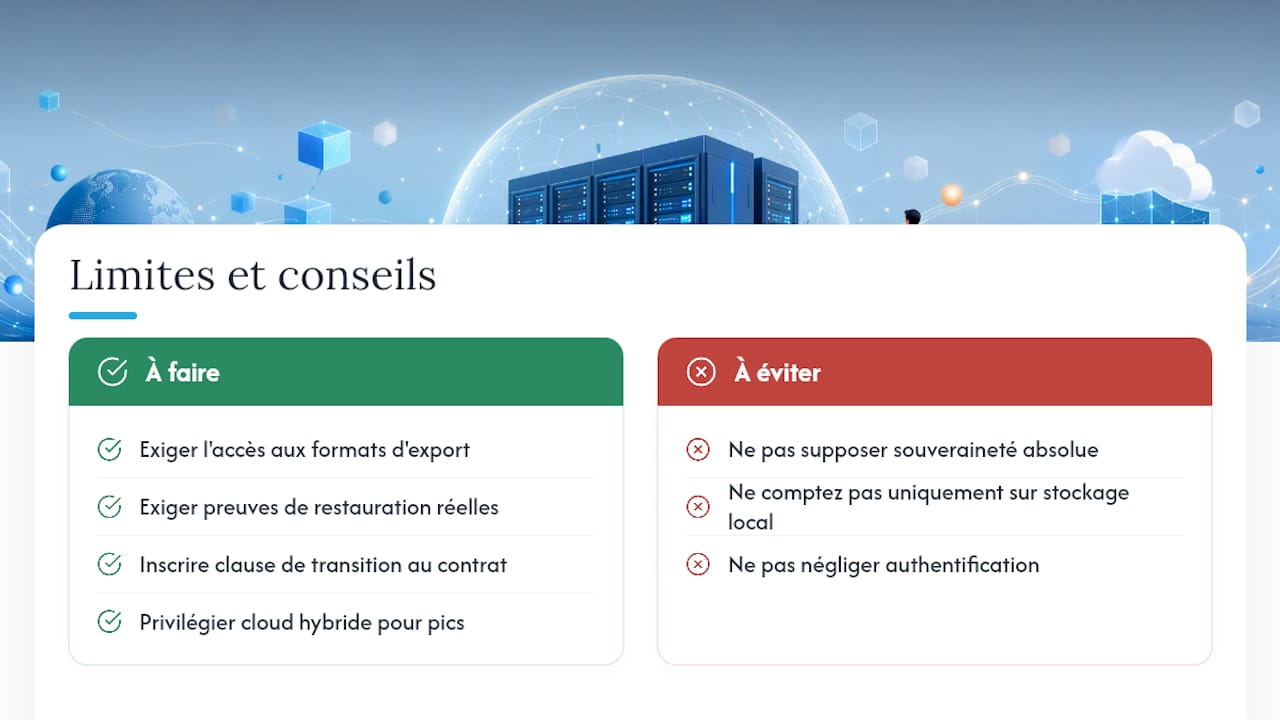
The first risk is still software lock-in, or vendor lock-in. Even with data stored locally, if the applications that handle it depend on a foreign vendor for updates and day-to-day operation, your real autonomy stays limited. This is what some analysts call the "zombie software" risk: the code keeps running, but nobody develops it any further if the vendor shuts down or changes policy — a scenario documented in the context of European sovereign offerings. Storing data locally isn't enough if the whole application chain depends on a third party you don't control.
Second limit: built-in security remains, in part, a shared responsibility. A managed private server protects the infrastructure, but weak passwords or badly configured authentication on the user side are still wide-open holes. Third point, elasticity: a server sized for steady usage costs less than on-demand public cloud, but adapts less quickly to a sudden spike in activity.
Pro tip: always insist on access to export formats from the moment you sign, ask for documented proof of real restore tests, and get a transition clause written in that spells out exactly what happens if you cancel.
A hybrid cloud remains preferable when some workloads demand elasticity that private infrastructure can't deliver economically — a seasonal traffic spike on an e-commerce site, for example. For the majority of the personal and professional use cases described above, though, the managed private server remains the option most consistent with a data ownership goal.
How does Yundera measure up against this checklist?
Yundera builds its offering directly around the criteria listed above, rather than treating them as secondary marketing options.
Hosting is in France, on infrastructure presented as ethical, with a written commitment: no data collected, no data resold. Export is possible at any time, which speaks directly to the exportability requirement in the checklist. More than a hundred open source applications come preinstalled, spanning file sharing, website hosting, photo galleries, streaming and password management — a lineup in the same spirit as solutions like Nextcloud, widely recognised for favouring data portability through open formats.
| Checklist criterion | What Yundera offers |
|---|---|
| Data location | Hosting in France |
| Exportability | Export guaranteed at any time |
| No collection or resale | Written commitment, ethical infrastructure |
| Secure access | Connection through a custom domain, remote access |
| Support | Fully managed solution, no technical skills required |
No technical skills are needed to get started, which matters especially for families and freelancers with no time to spend on system administration. For SMBs and regulated professions, the YunderaB2B offering adds options designed for professional use, including a private artificial intelligence server.
What I've taken away from watching this market
The data ownership debate too often slides into a simplistic slogan: "store locally and you're protected". That shortcut is wrong, and it does nobody any favours.
The real question isn't geographic, it's contractual and technical. A provider can host your data a few kilometres from your home while depending, for its own operation, on a software vendor on the other side of the world. Real sovereignty means controlling the entire chain, not just the data centre's address. That's why open source occupies such a particular place in this discussion: it mechanically reduces the risk of opaque dependency, because the code stays readable and the data format stays legible even if the original vendor disappears tomorrow.
I also think the market spent far too long treating simplicity and control as opposites, as if protecting your data meant becoming a weekend sysadmin. That's no longer true. A managed private server, properly documented, delivers both at once — provided you demand the contractual proof described above rather than trusting a marketing promise.
How do you get started with a managed private server from Yundera?
There are other routes to taking back control of your data: building a home server yourself with a mini PC and Docker, or going with a generalist sovereign cloud offering. Those options ask for time, technical skills, or compromises on exportability that few readers want to take on late on a Sunday evening.
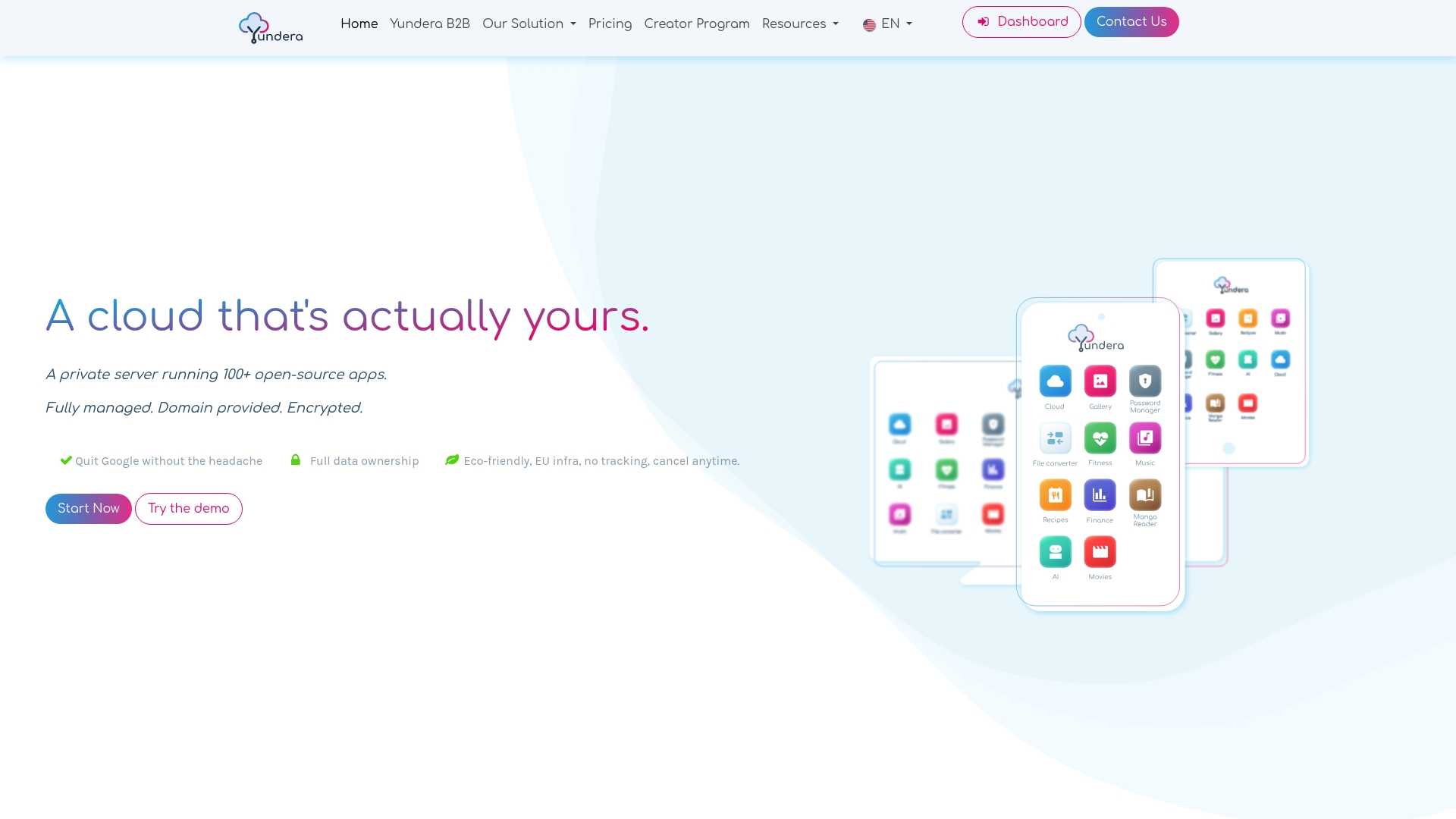
Yundera offers a direct alternative to both approaches: a fully managed private server, with no technical configuration on your side, and more than a hundred open source applications already installed and ready to use the moment your space opens. The base subscription covers hosting, maintenance, backups and support, with secure access from anywhere through your own domain.
To get started, first pick the plan that matches your storage needs on the pricing page, then launch the assisted migration of your existing files. If you're an individual or a family concerned about the privacy of your photos and documents, the page for individual users walks through the offering step by step. If you run a startup or a small organisation, the page built for businesses explains how to cut your IT costs while keeping full control of your data.
Going further on sovereignty and hosting your data
- To understand the legal and technical limits of sovereign offerings, Le Temps' analysis of alternatives to the cloud giants remains a solid reference on software dependency risk.
- For a detailed public-versus-private cloud comparison aimed at SMBs, see the Réussir ses projets article, which breaks down the cost and compliance criteria.
- For anyone considering an open source solution such as Nextcloud, the AETHON guide details the concrete features and use cases for small organisations.
- For individuals curious about self-hosting, the home server guide lays out the benefits and risks of a DIY setup honestly.
- On compliance and the use of artificial intelligence in a professional context, Acumis' publications offer useful perspective for practices and independent professionals.
- Finally, Yundera's practical guide to data sovereignty digs deeper into the common myths around local storage and technical independence.
Sources
- Private vs public cloud security — SentinelOne
- Cloud public ou privé : avantages, limites et critères de choix — Réussir ses projets
- Quitter les géants du cloud: une décision réaliste pour une PME? — Le Temps
- Cloud Privé avec Nextcloud : Guide Complet pour PME - AETHON
- Serveur Domestique 2026 : Reprenez le contrôle de vos données (Guide complet) — Guide Geek
Data Ownership: What a Managed Private Server Really Changes